Settings — Emails
Quick-access list of every email this plugin sends, each linking through to the standard WooCommerce email customiser.
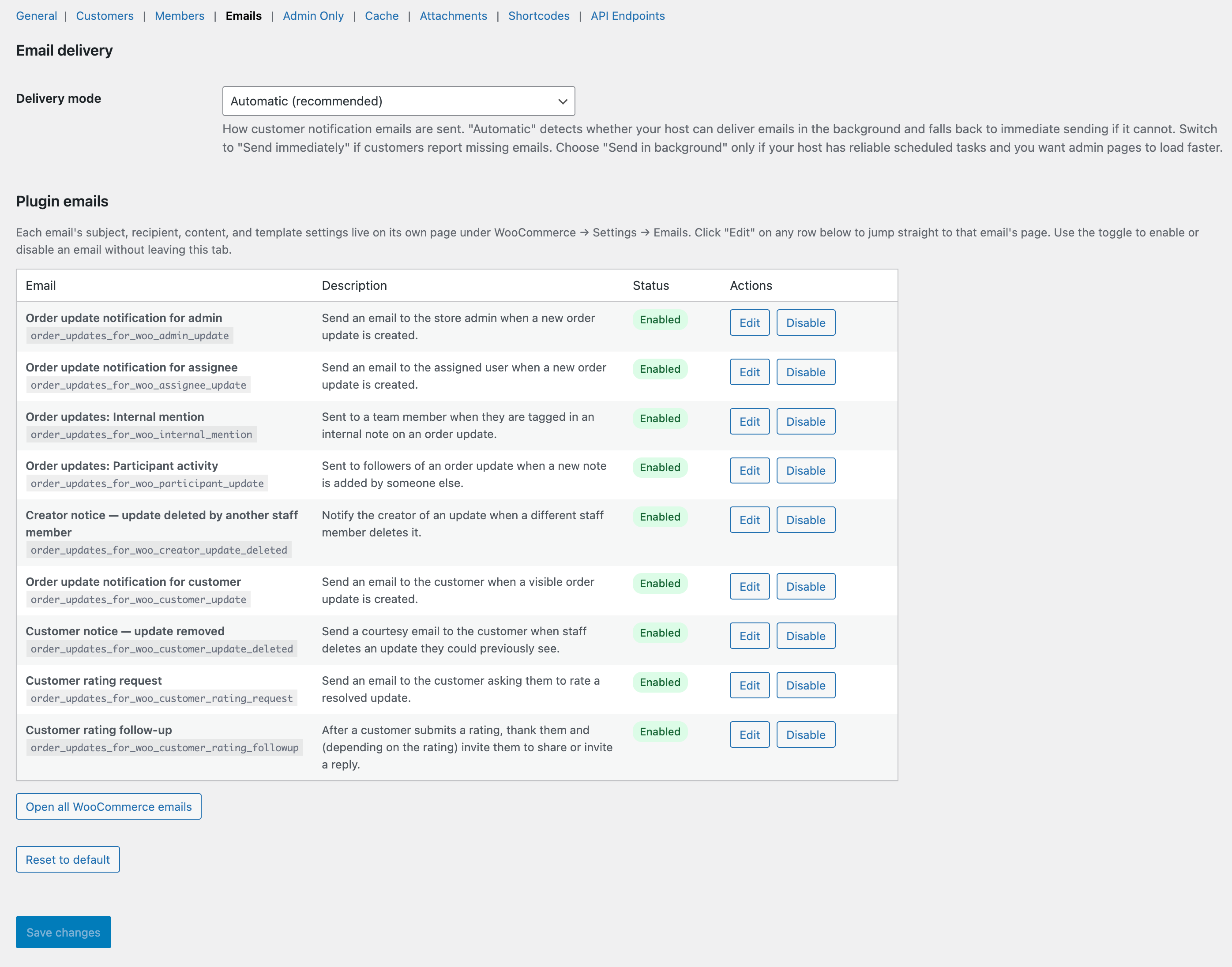
The Emails tab.
What this tab does
Every email the plugin sends — assignee notifications, @mention emails, customer notes, rating requests, rating follow-ups, deletion notices — is enumerated here with an enable/disable toggle. Click any email to deep-link into the matching WooCommerce email customiser for subject + body editing.
Available options
Assignee notification
Sent when a user is assigned an update or a customer rates an update they own.
@Mention notification
Sent when a user is @mentioned in an internal note. Bypasses per-update mutes.
Participant notification
Sent to participants when a new note is added to a thread they’ve participated in.
Customer notification
Sent to the customer when a customer-visible note is added (or on the “Notify customer” choice on solve/delete).
Customer rating request
Optional — sent to the customer after an update is solved, prompting them to rate.
Customer rating follow-up (promoter)
Sent to 4–5 star raters with share buttons.
Customer rating follow-up (detractor)
Sent to 1–3 star raters with an empathy message and a reply link.
Admin low-rating alert
Sent to the site admin email on detractor ratings.
Customer-update-deleted notice
Sent to the customer when an update they could see was deleted (only if “Notify” was chosen).
Creator-update-deleted notice
Sent to the staff member who created an update when another staff member deletes it.