Ratings & feedback
Solved updates collect customer ratings — star scores, optional comments, branched follow-up emails for promoters vs detractors. Everything you need to close the feedback loop without bolting on a separate survey tool.
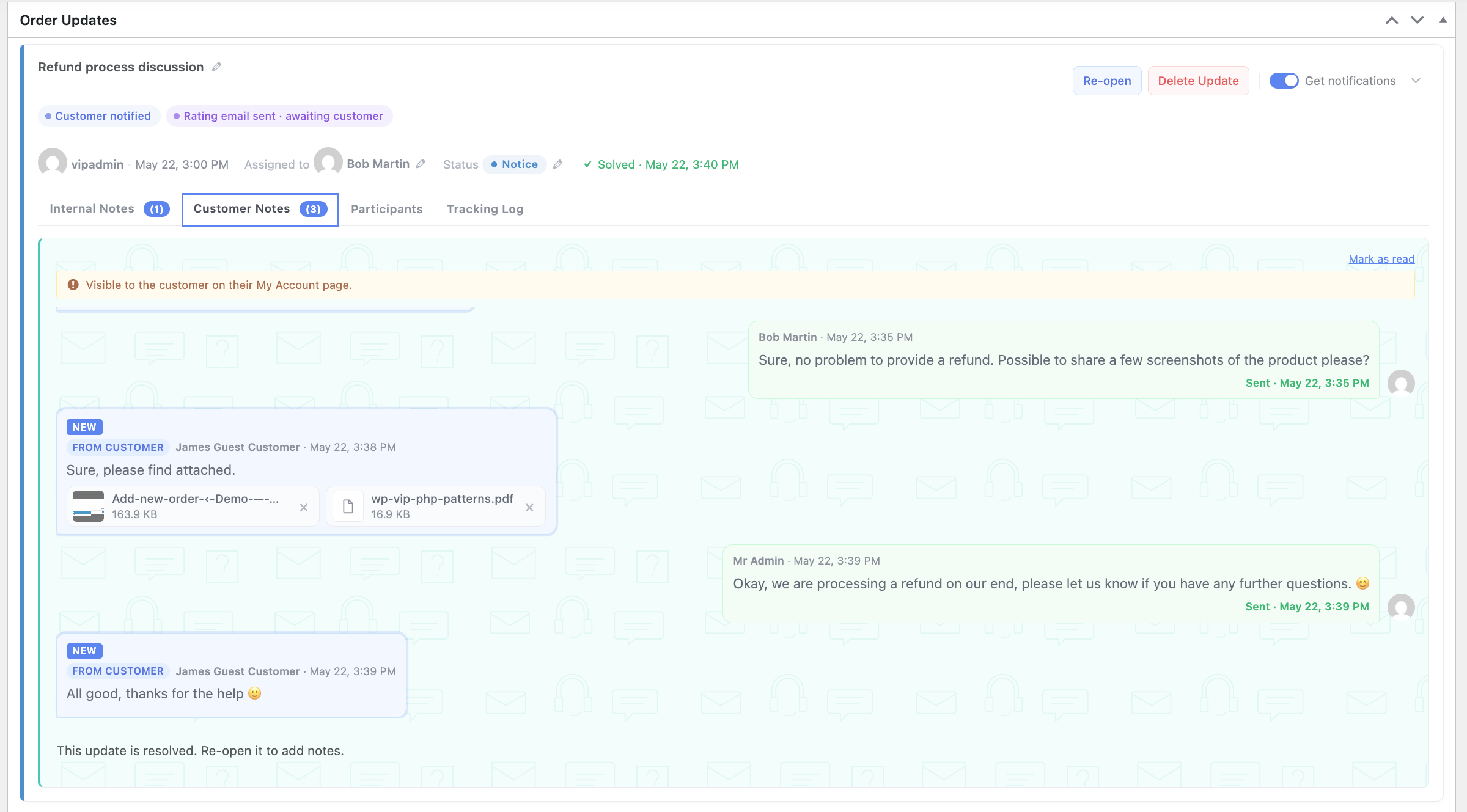
Admin view after marking an update solved.
Marking solved on the admin side
Click Mark as solved. If the update is customer-visible, you’ll be asked whether to notify the customer or do it silently.
Once solved, the status pill flips to your “solved” status, and a Re-open button appears. The reopen button is hidden once the customer has rated.
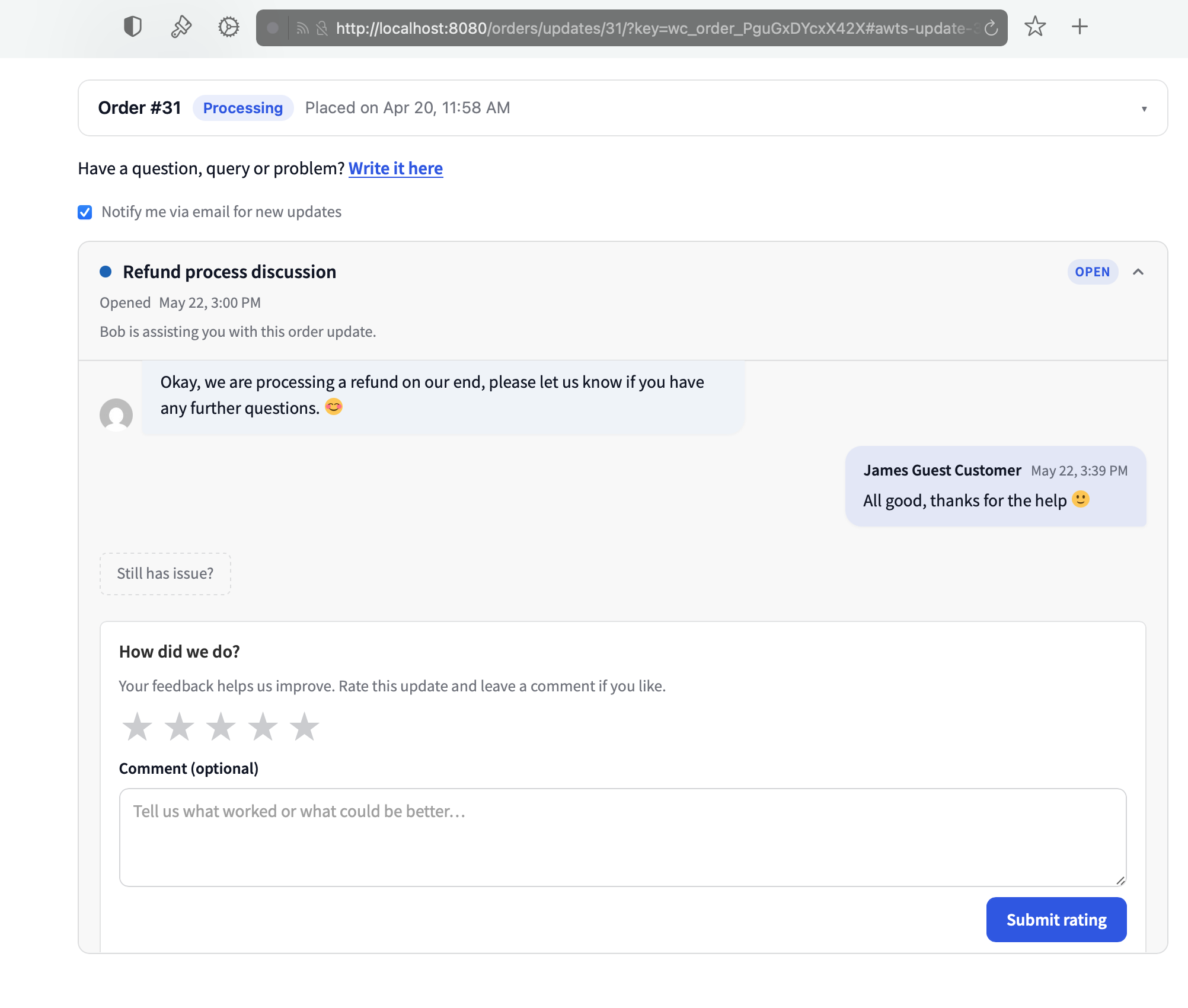
Customer rating widget — stars, optional comment, escape hatch.
The customer’s rating widget
When you mark a customer-visible update as solved, the customer’s portal hides the reply composer and shows the rating widget instead.
The Still has issue? button gives the customer an escape hatch — re-opens the update without staff involvement.
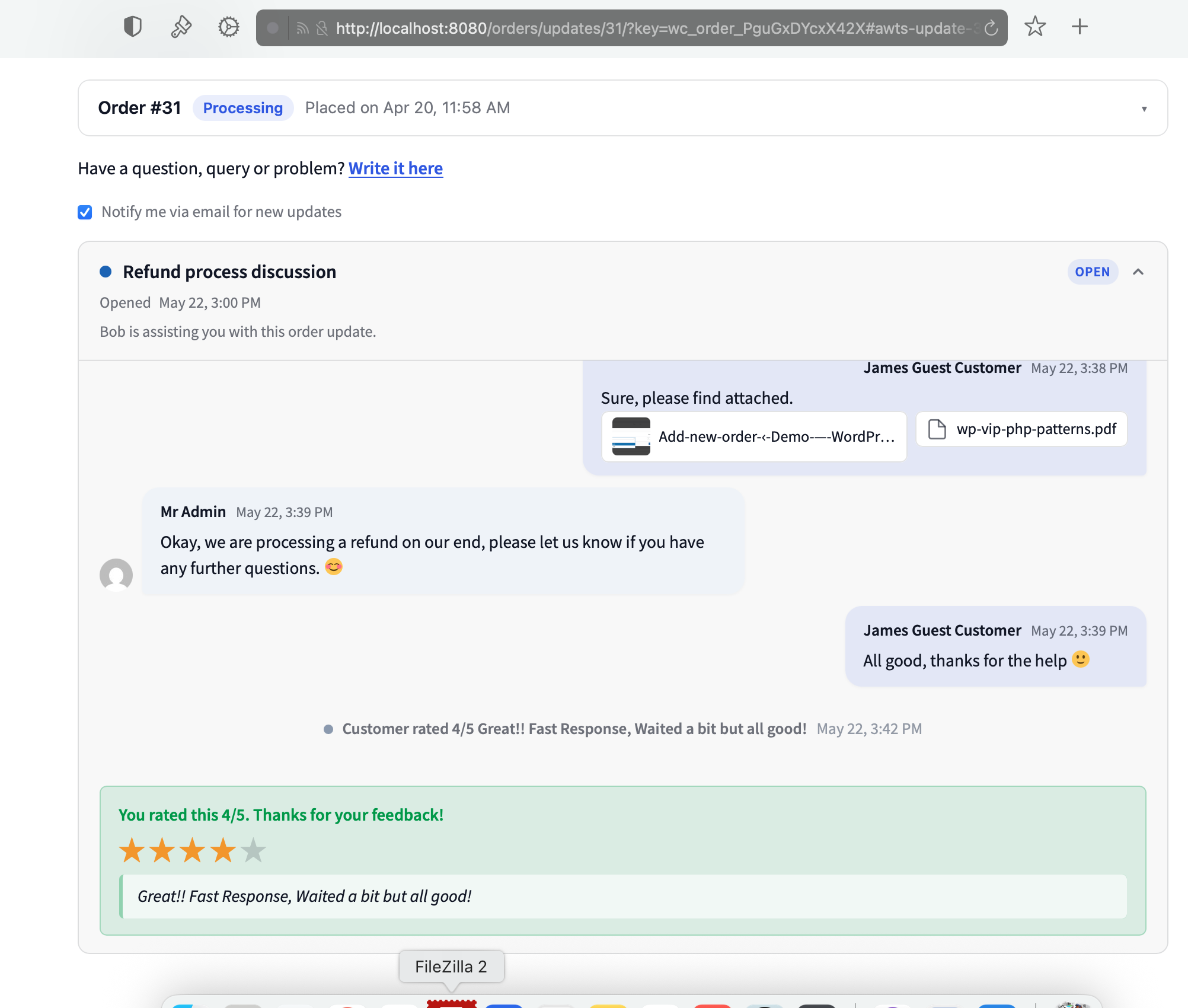
Customer view after rating — thanks message + the chosen star count.
After the customer rates
The widget collapses into a “Thanks for your feedback!” confirmation. Thread becomes closed.
4–5 star raters get a promoter follow-up email. 1–3 star raters get a detractor empathy email; site admin also gets an alert.
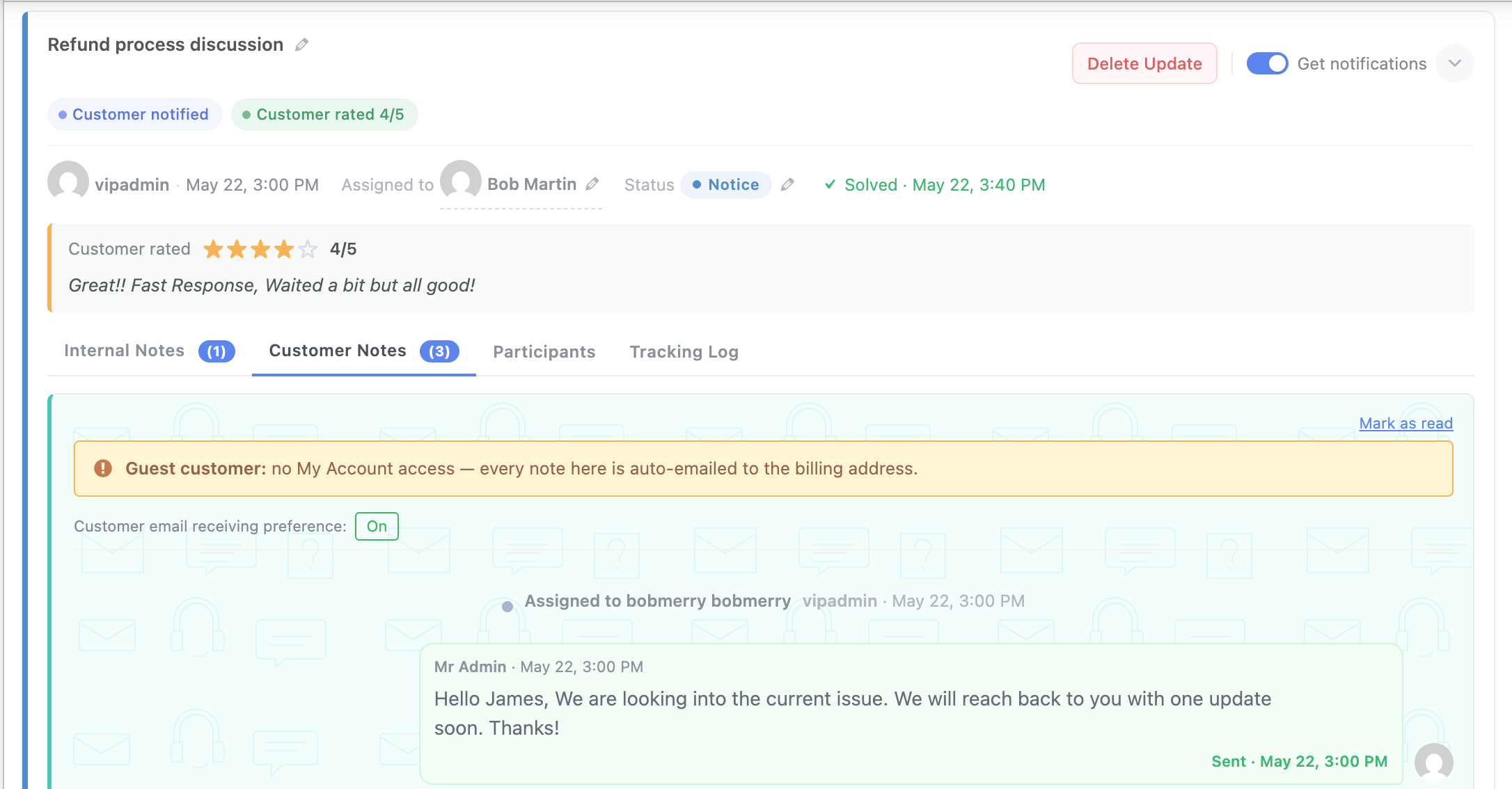
Admin view of a rated update — rating + comment shown on the card.
The rated update on the admin side
The card shows the star count and comment. The card becomes read-only — rated updates can’t be reopened, on purpose. For a similar new issue, open a new update.
Ratings are logged into the tracking log and power per-team-member analytics.
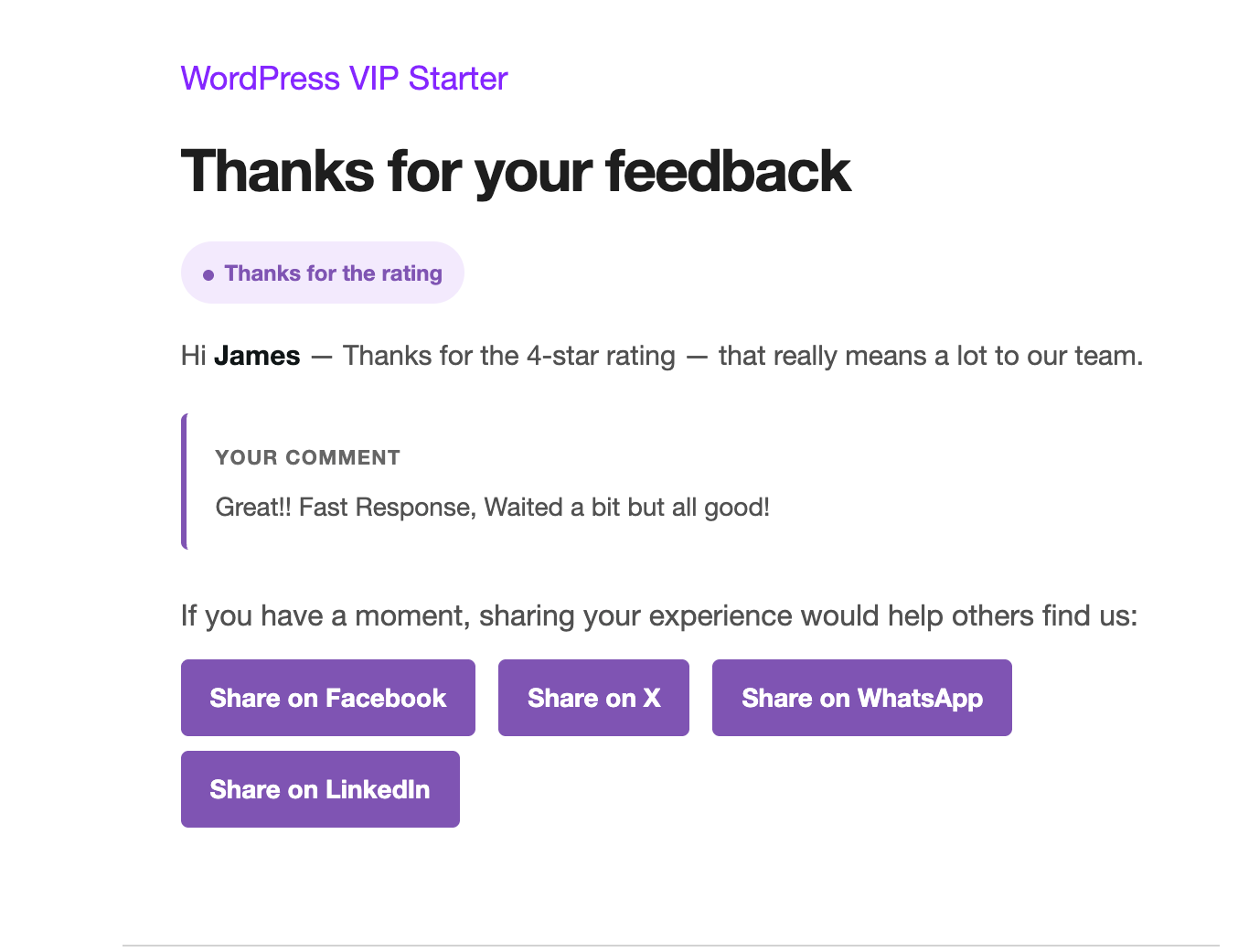
Promoter follow-up email — share buttons for Facebook, X, LinkedIn, WhatsApp.
Promoter share email
4 and 5 star ratings trigger this follow-up a few minutes after the rating. Quotes the customer’s comment back to them, then asks if they’d share their experience.
Share buttons take them straight to a pre-filled share dialog on Facebook, X, LinkedIn, or WhatsApp. Configure the share text and target URL (Google review, WooCommerce.com listing, etc.) under Settings → General → Ratings. {site_name} and {site_url} tokens are supported in the share text.
Detractor ratings (1–3 stars) get a different email — a warm “we’ll do better” note with a direct reply link, no share buttons.
Configuring the rating flow
Under Settings → General → Ratings you can:
- Turn ratings on/off entirely.
- Toggle the optional comment field.
- Configure the promoter share URL and the share text.
- Toggle the admin alert on detractor ratings.