Settings — Customer
What the customer can do on their portal — reply, attach files, edit their last message, re-open solved updates.
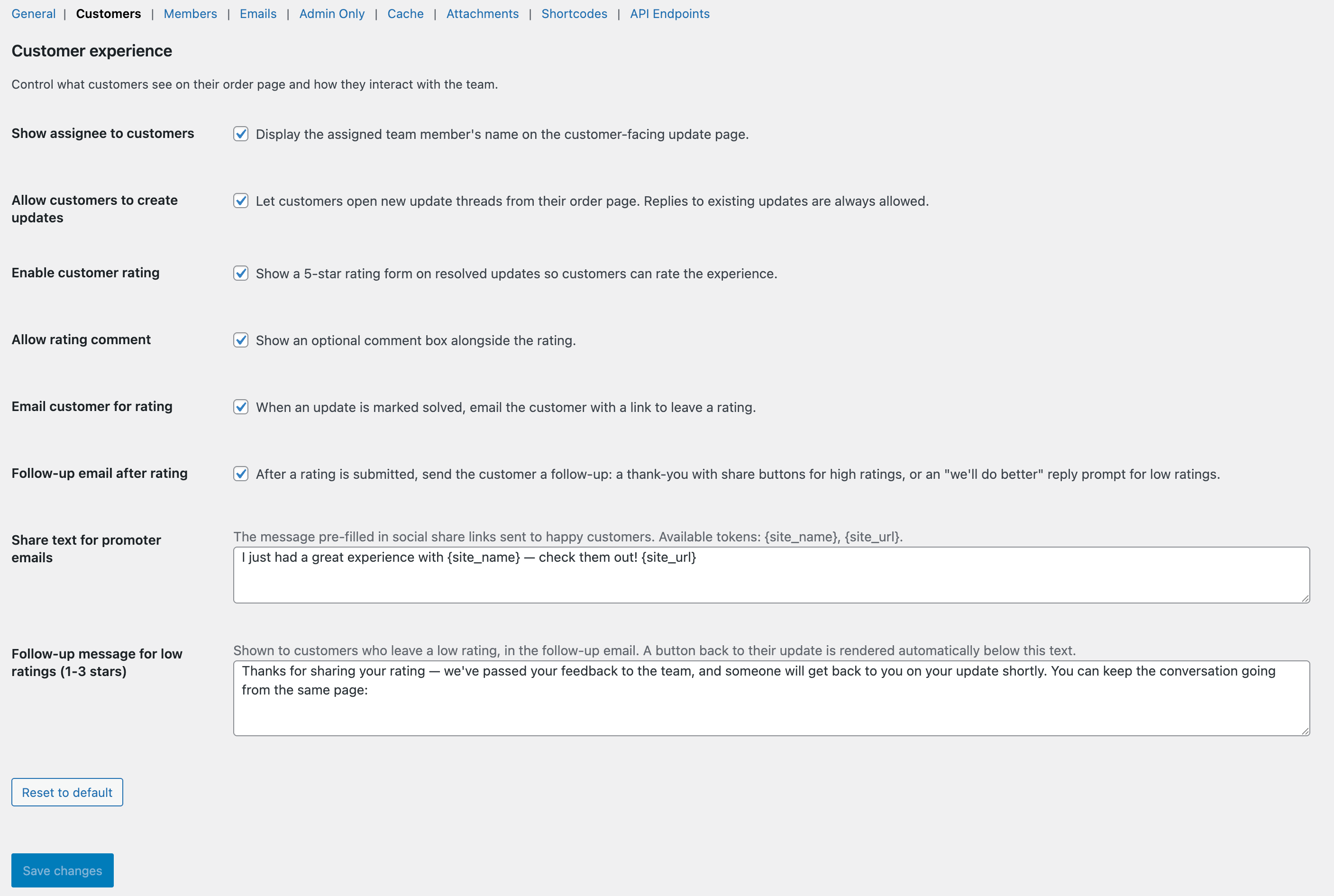
The Customer tab.
What this tab does
Gates on what customers can do once they reach their portal. Useful for tuning the balance between customer autonomy and staff control.
Available options
Allow customer replies
Lets customers reply via the portal. Off makes the portal read-only — useful for stores that prefer all customer contact through their helpdesk.
Allow customer attachments
Lets customers attach files to their replies. Same MIME allowlist + size limit as staff attachments.
Allow editing replies
Lets customers edit their last reply within a configurable window. Edits preserved as history — an “Edited” pill shows on the bubble.
Edit window (minutes)
How long after sending a customer reply can still be edited. Default 5 minutes.
“Still has issue?” reopen
On solved-but-unrated updates, shows a button letting the customer re-open without staff involvement. Disabled once they rate.
Show assignee to customer
Reveals the assignee’s display name to the customer alongside their messages. Off by default to keep internal identities private.