Every feature, one page

A complete help-desk — built into WooCommerce

Two-thread conversations, customer portal, ratings & share, team workflow, analytics, REST API, privacy and security. All free. One plugin. No upsell.

Two-thread conversations

Two threads, one update

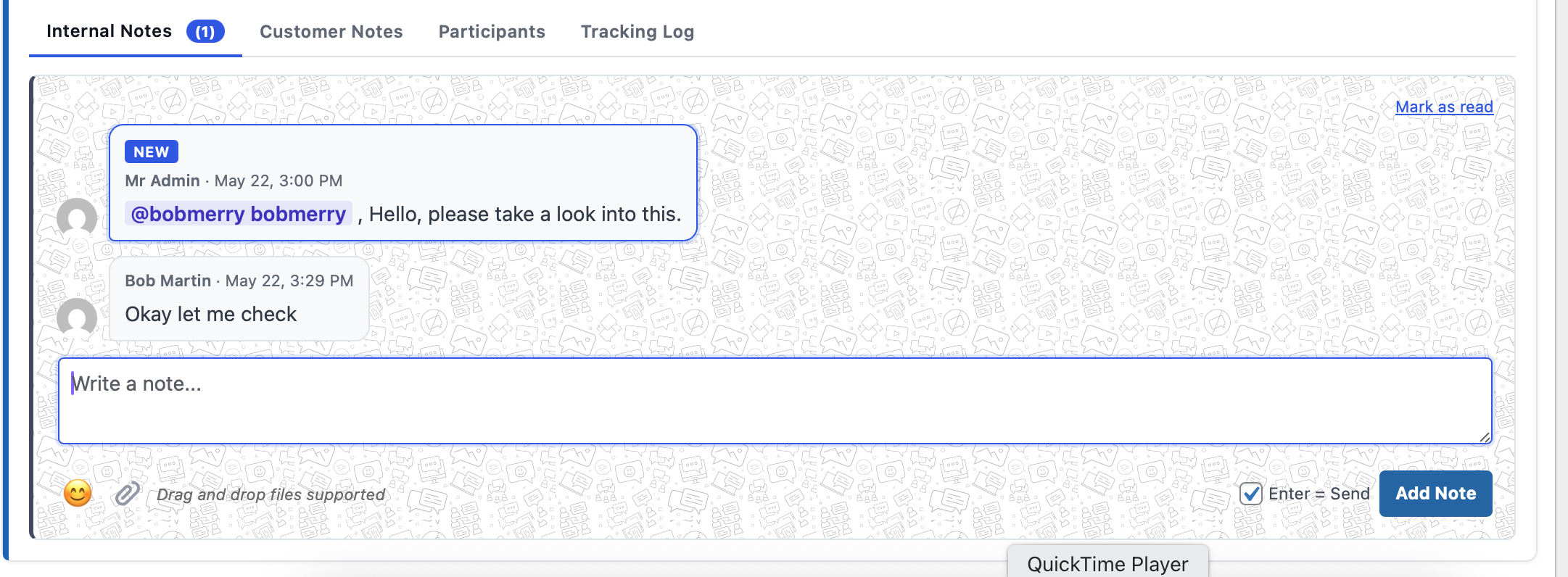
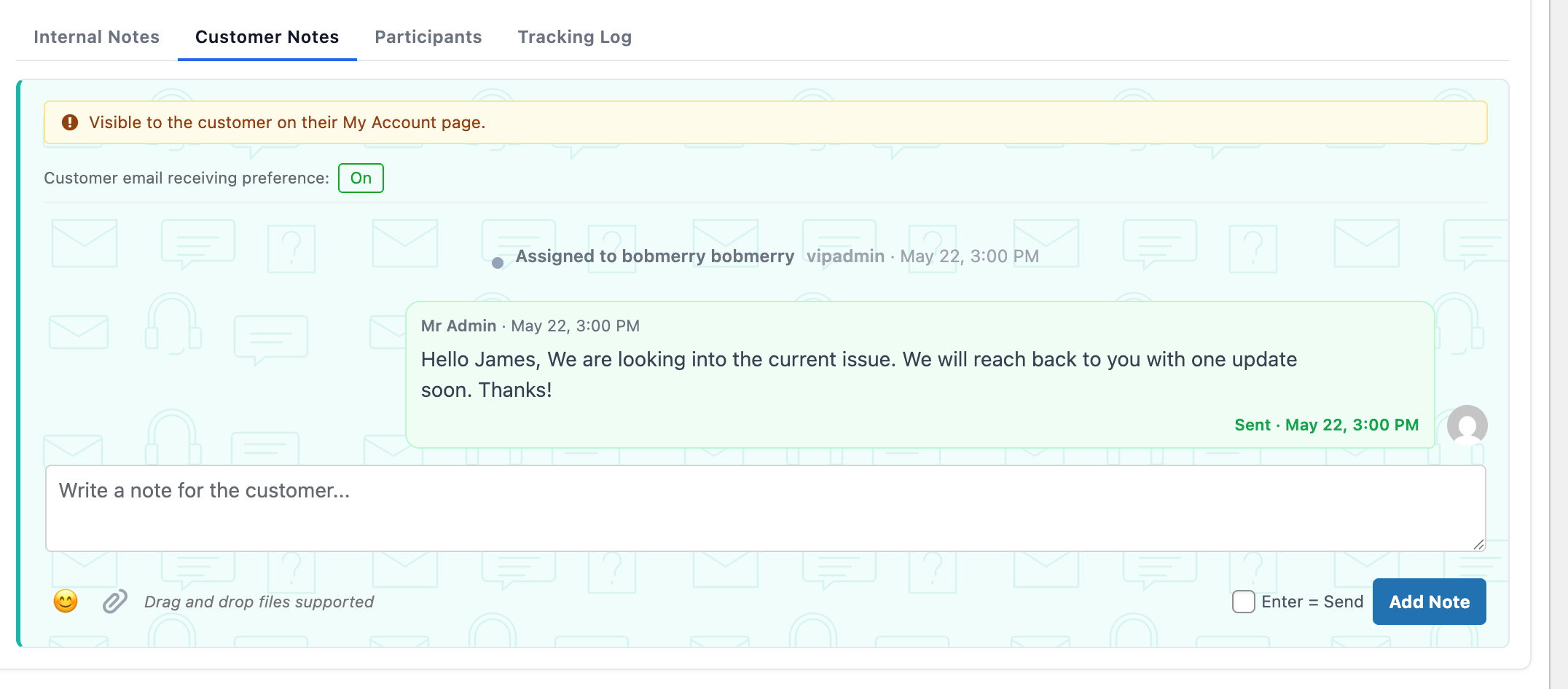
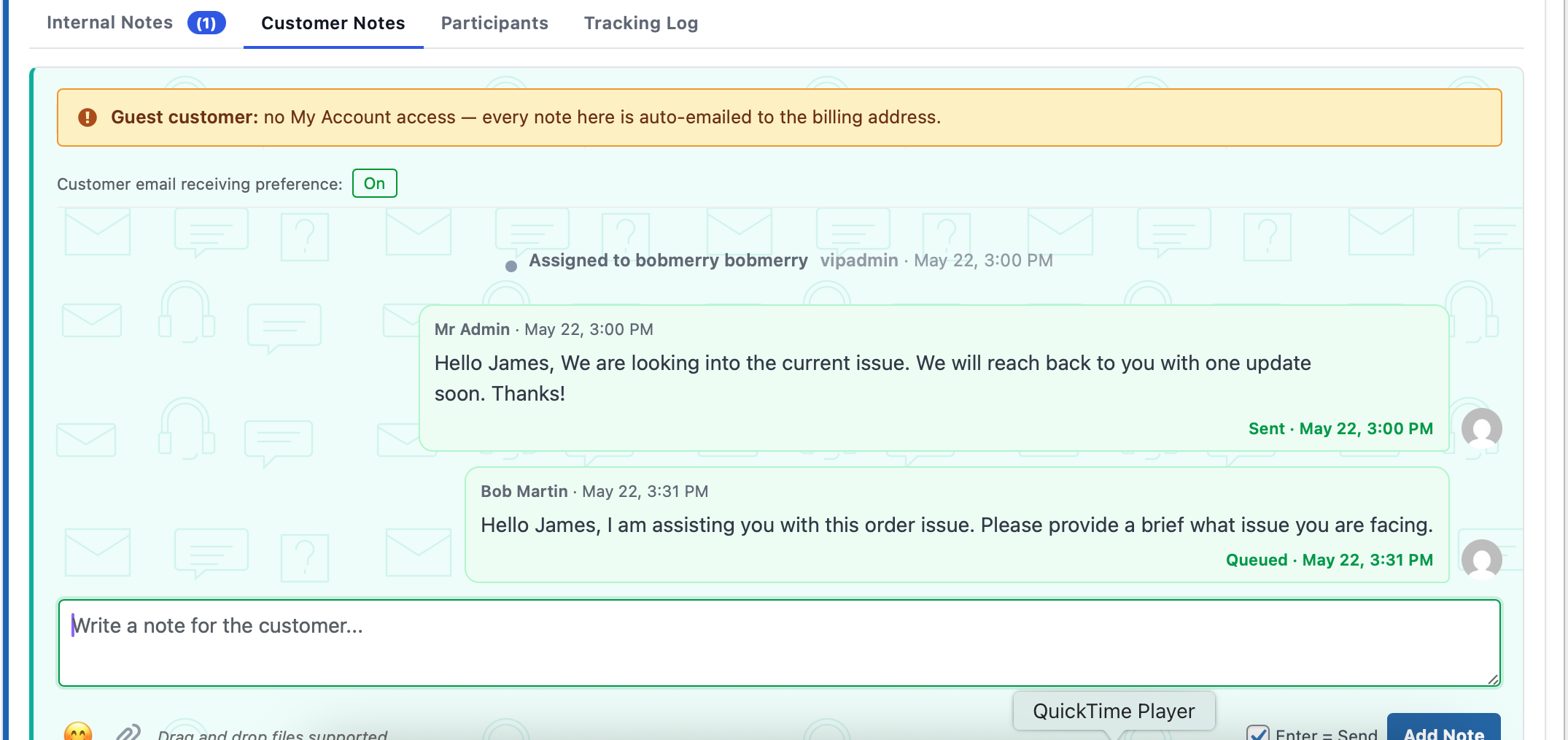
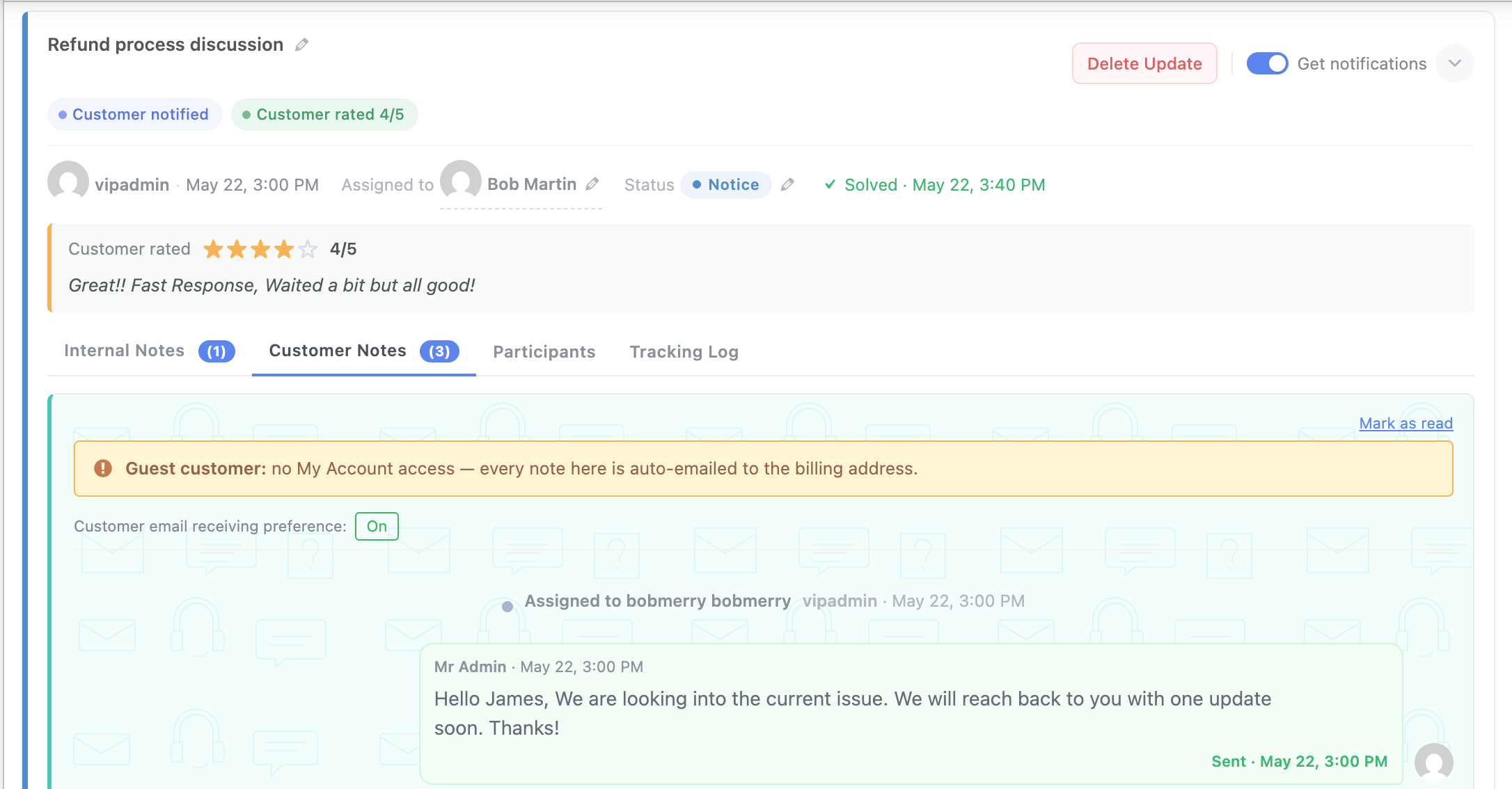
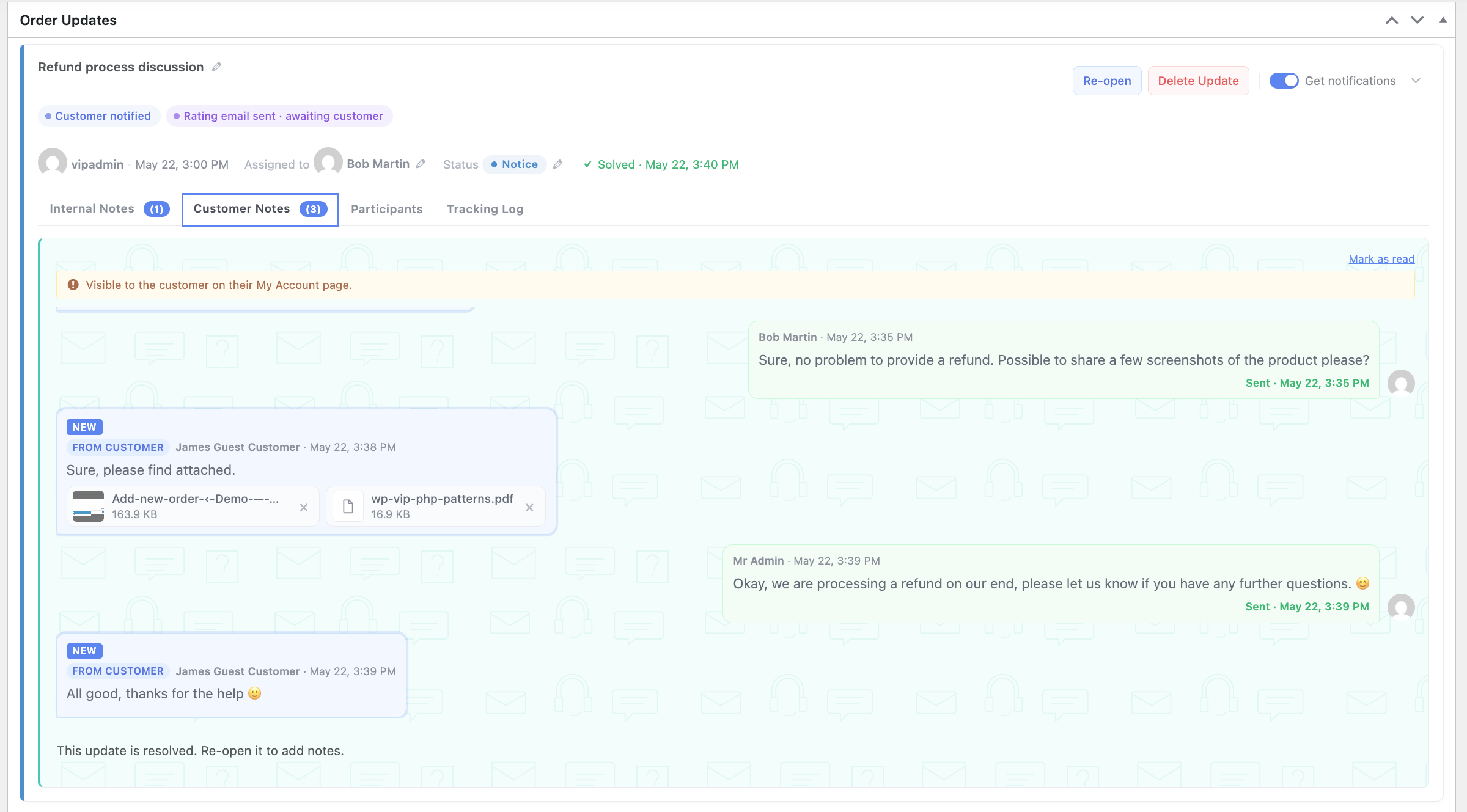
Internal notes for your team. Customer notes for your customers. Side by side on the same update card — you write to whichever audience needs it.

  • @mentions in internal notes email and admin-bar your teammates — the customer never sees a thing.
  • Customer notes mirror what shows up in the customer portal. What you write is what they see.
  • Two database tables, two REST endpoints, zero crossover — internal stays internal under every setting.
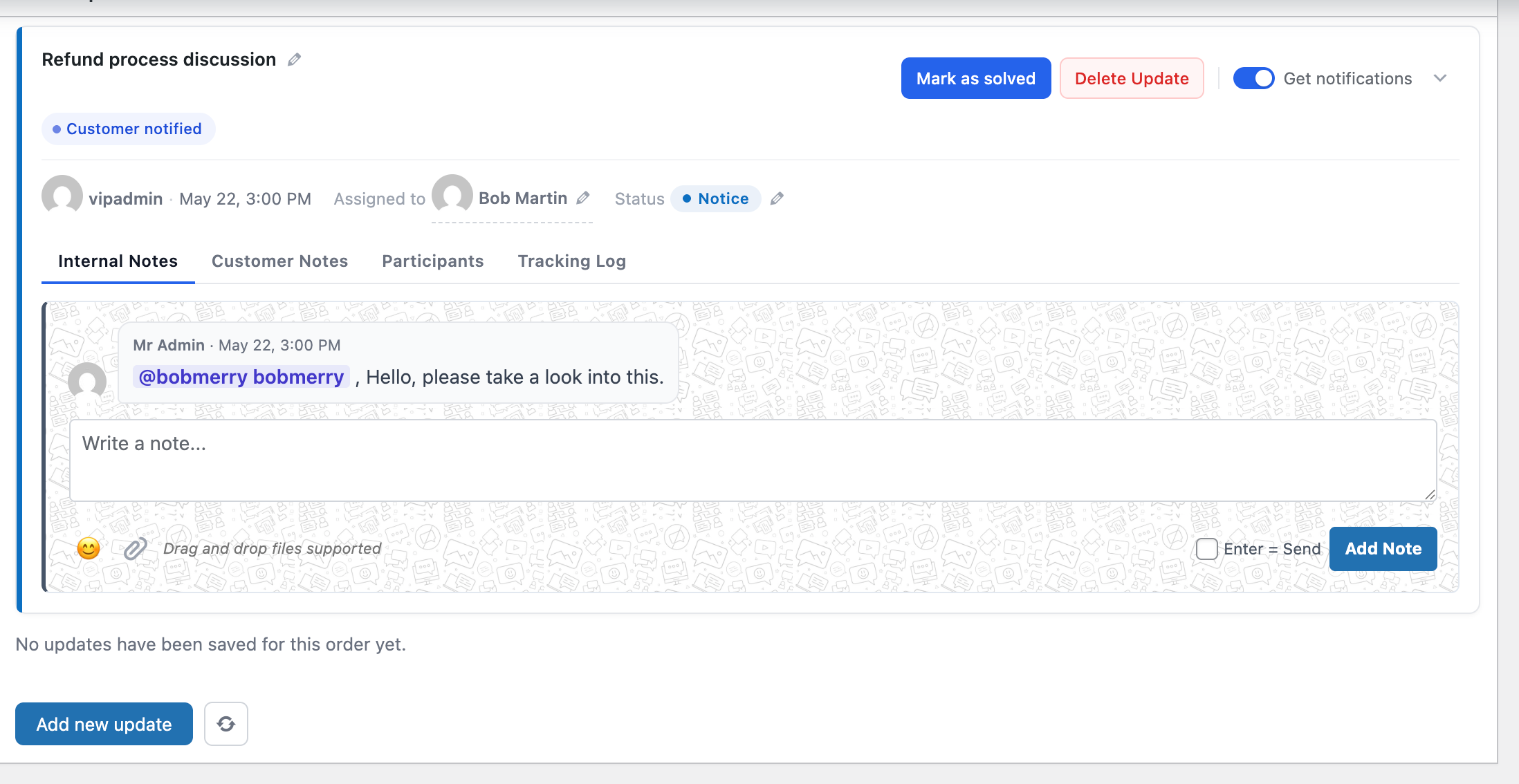
An Order Updates card with the Internal Notes tab on the left and the Customer Notes tab on the right.

Customer portal

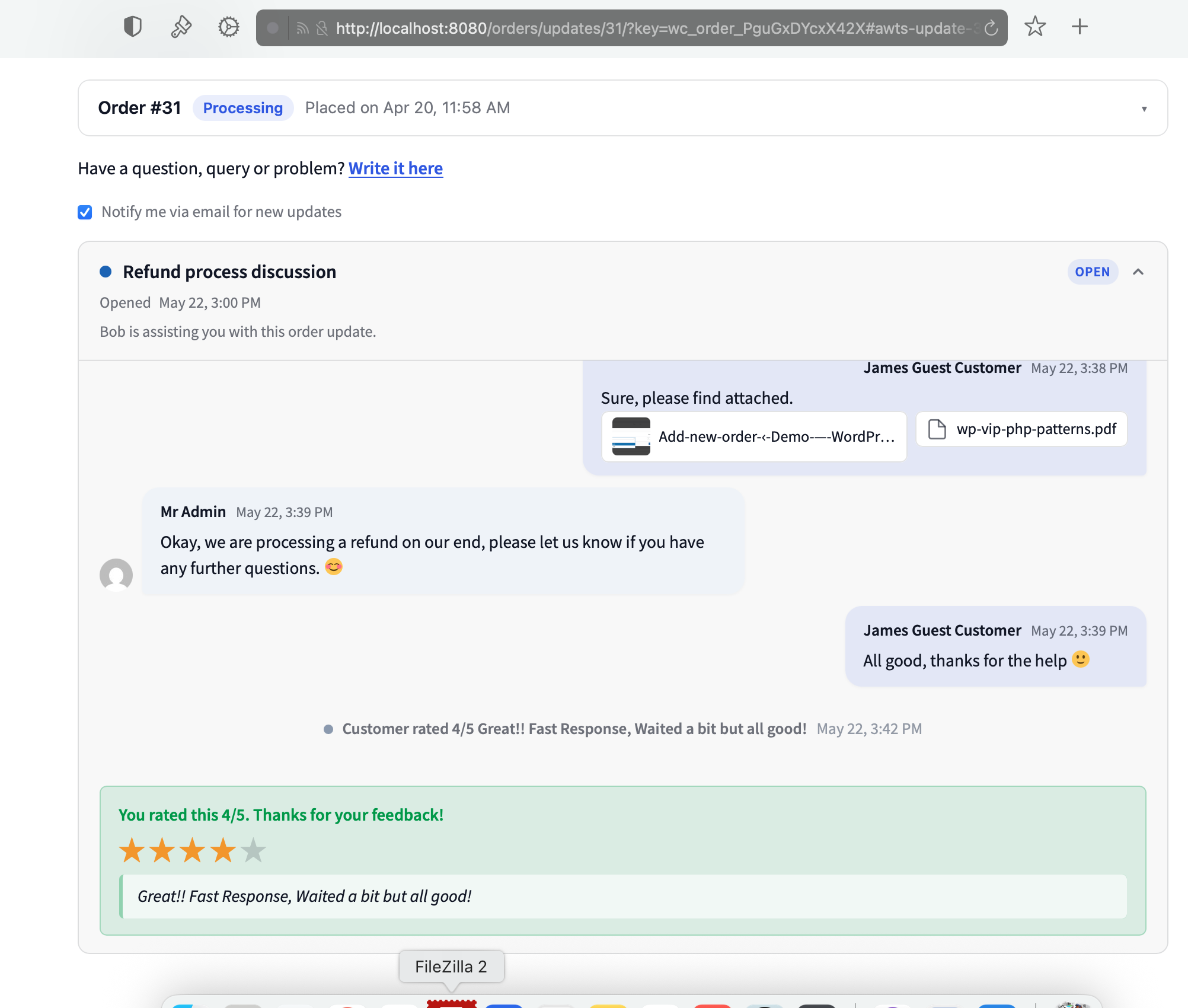
A real customer portal, inside your store

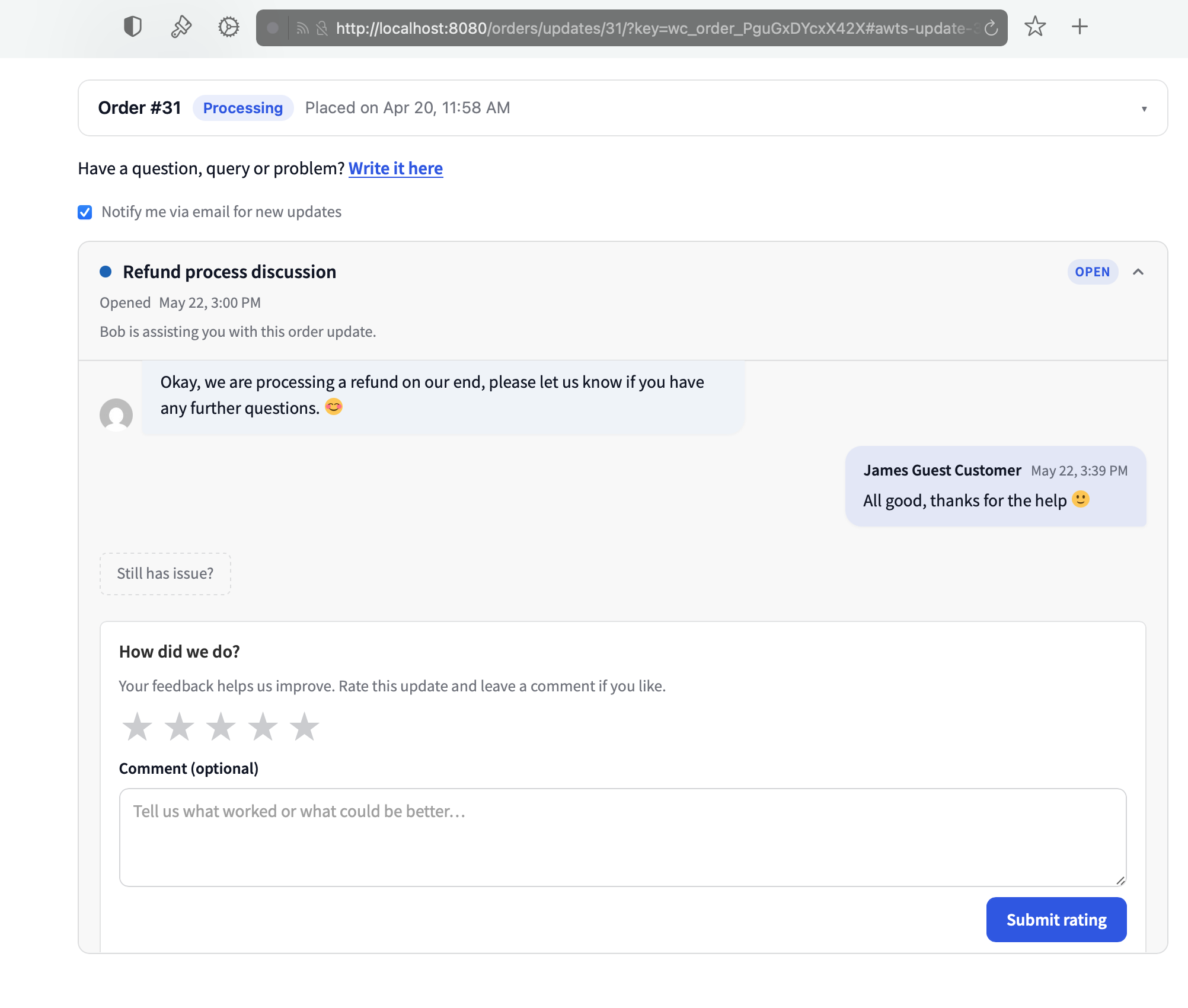
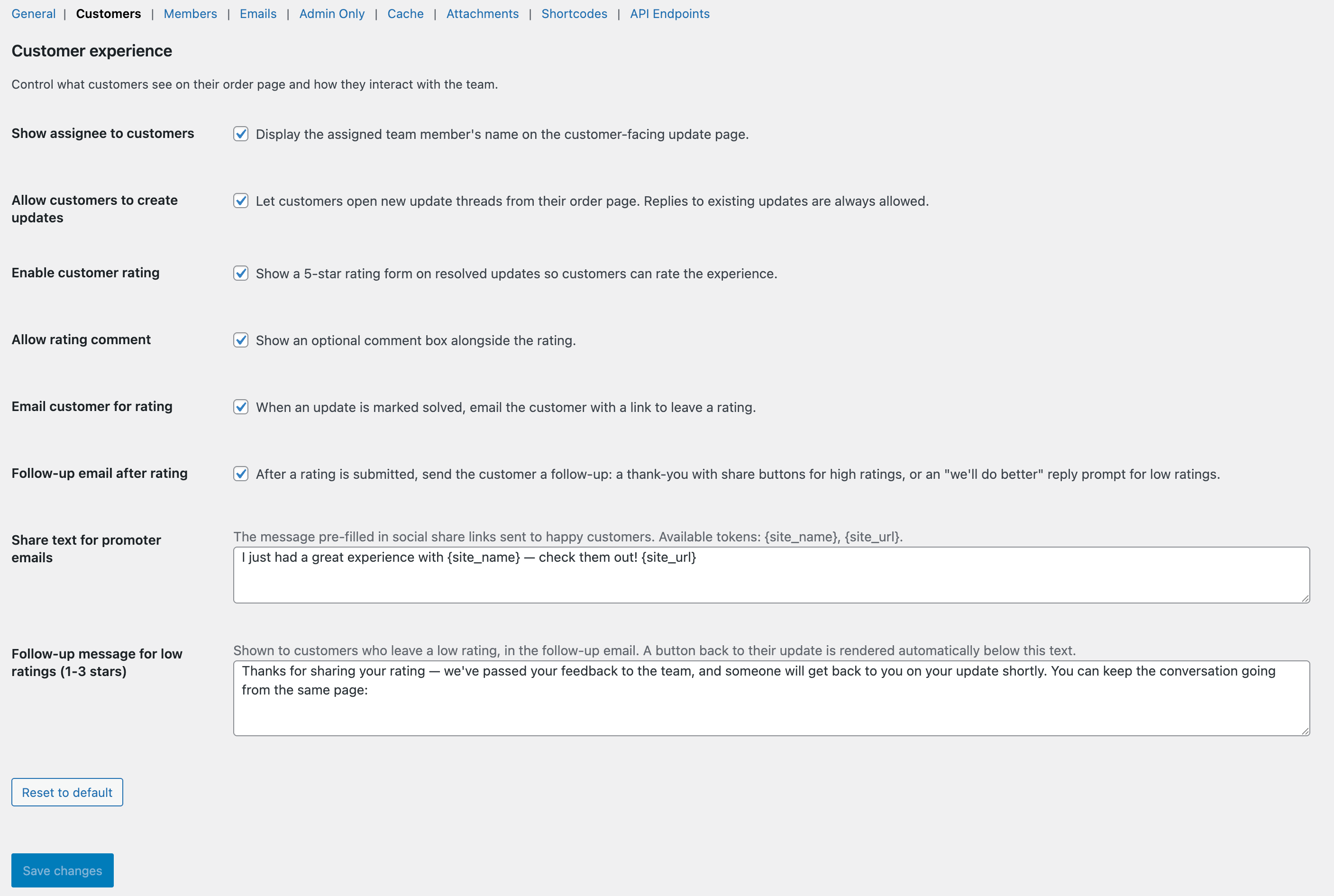
Customers see their updates inside WooCommerce’s My Account page. Guests get a secure single-use link in every email. Either way, they reply, attach files, and rate solved threads — without leaving your site.

  • Works the same for logged-in customers and guests — same features, same UI.
  • Portal checks for updates every 30 seconds — no manual refresh needed.
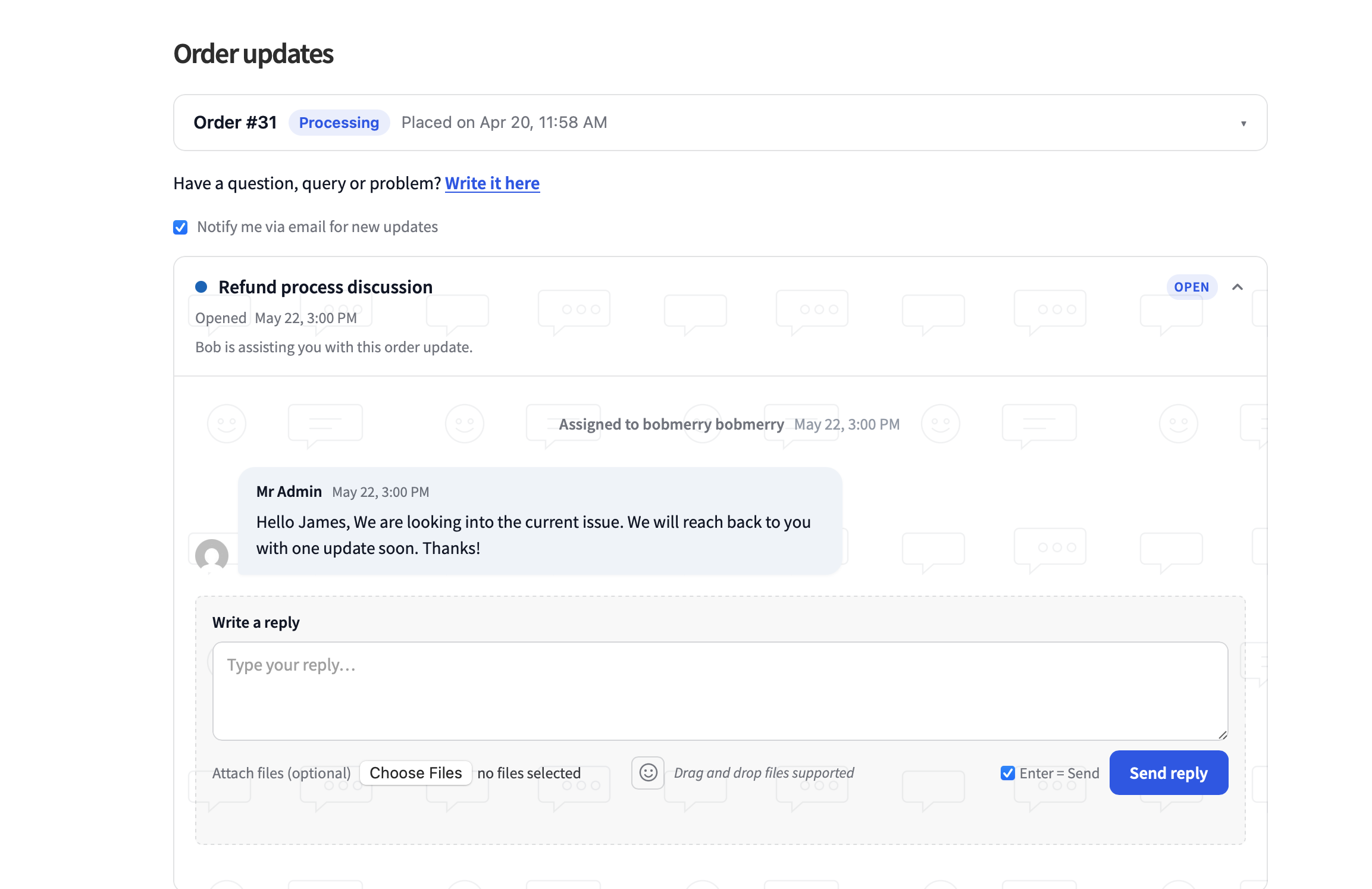
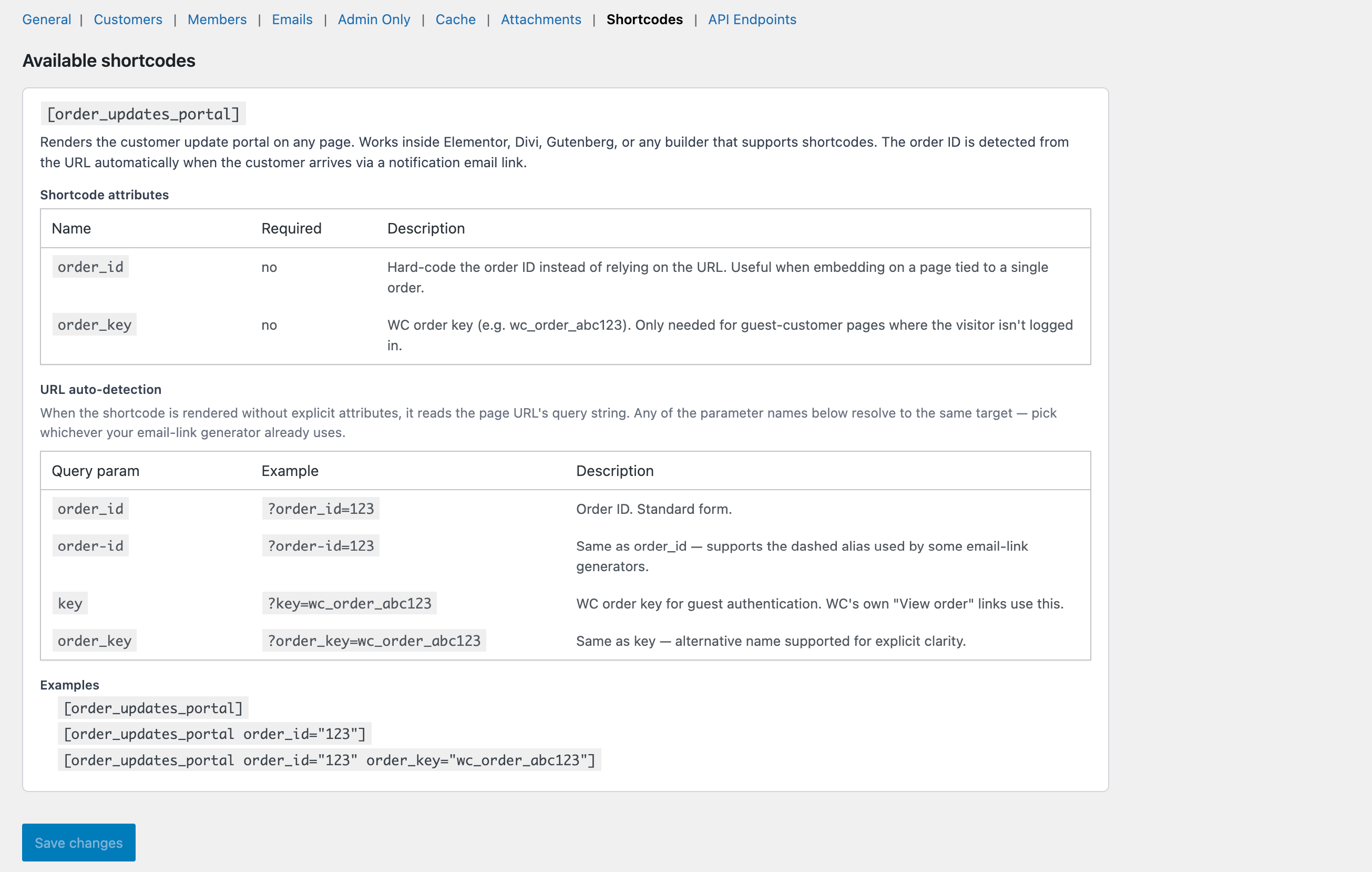
  • Drops into any page via the [order_updates_for_woo] shortcode or Gutenberg block.
The customer portal on a WooCommerce order page, showing an open update thread with the reply box at the bottom.

Lock without blocking

Your team chats while WooCommerce’s blocker stays out of the way

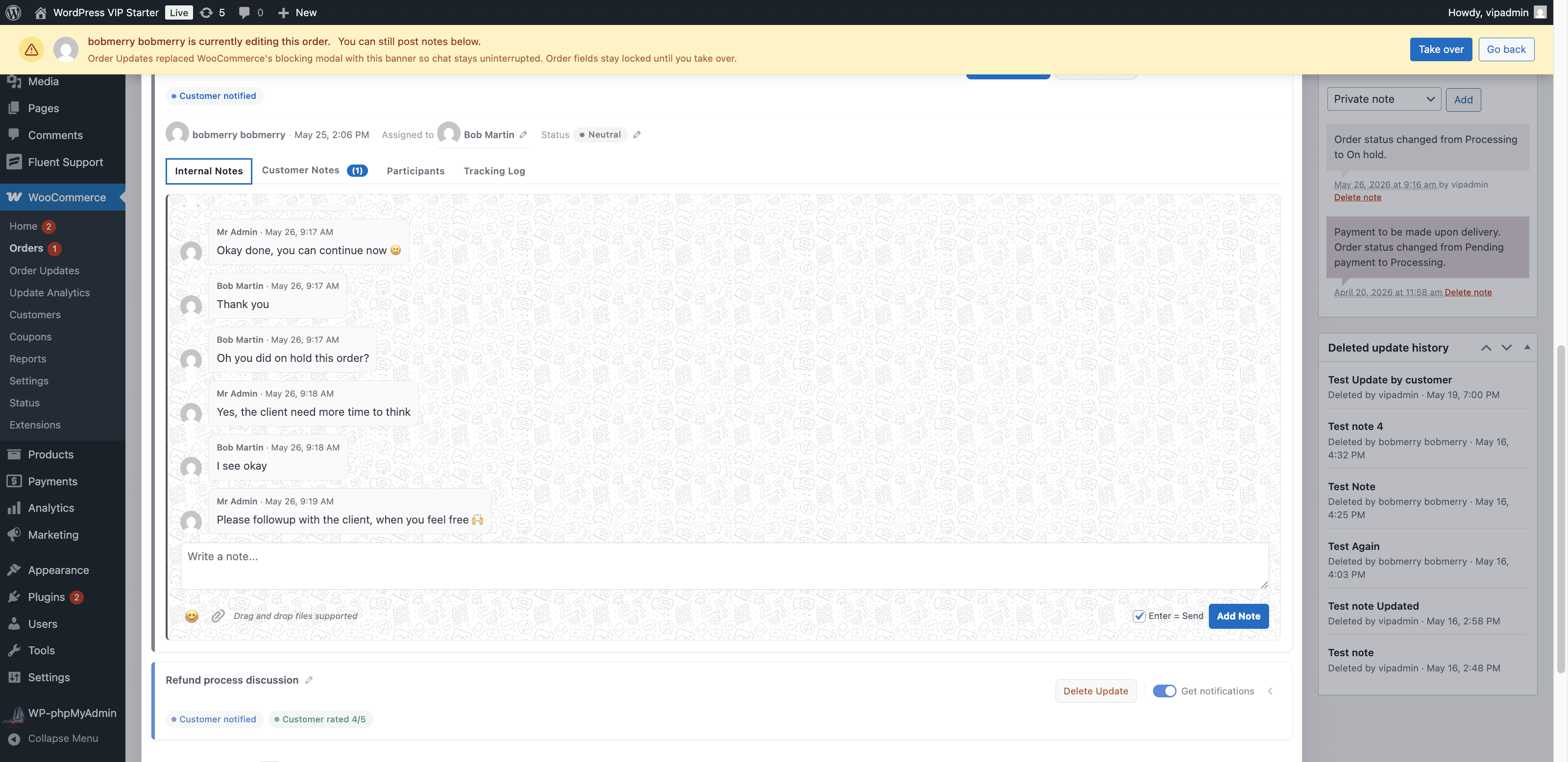
WooCommerce’s default “X is currently editing this order” modal hides the whole screen — including your notes thread. We swap it for a soft banner at the top, dim the order fields, and keep the Order Updates panel fully alive underneath.

  • Order data stays protected — fields stay locked until someone clicks Take over.
  • Live handover detection — if a teammate takes the lock, the page reloads into the new state.
  • Built on top of WooCommerce’s own EditLock service — no parallel lock store, no drift.
The Order Updates lock banner at the top of an order edit page, dimming the order fields but leaving the notes thread fully interactive.

Analytics at a glance

See how your support team is doing — in one place

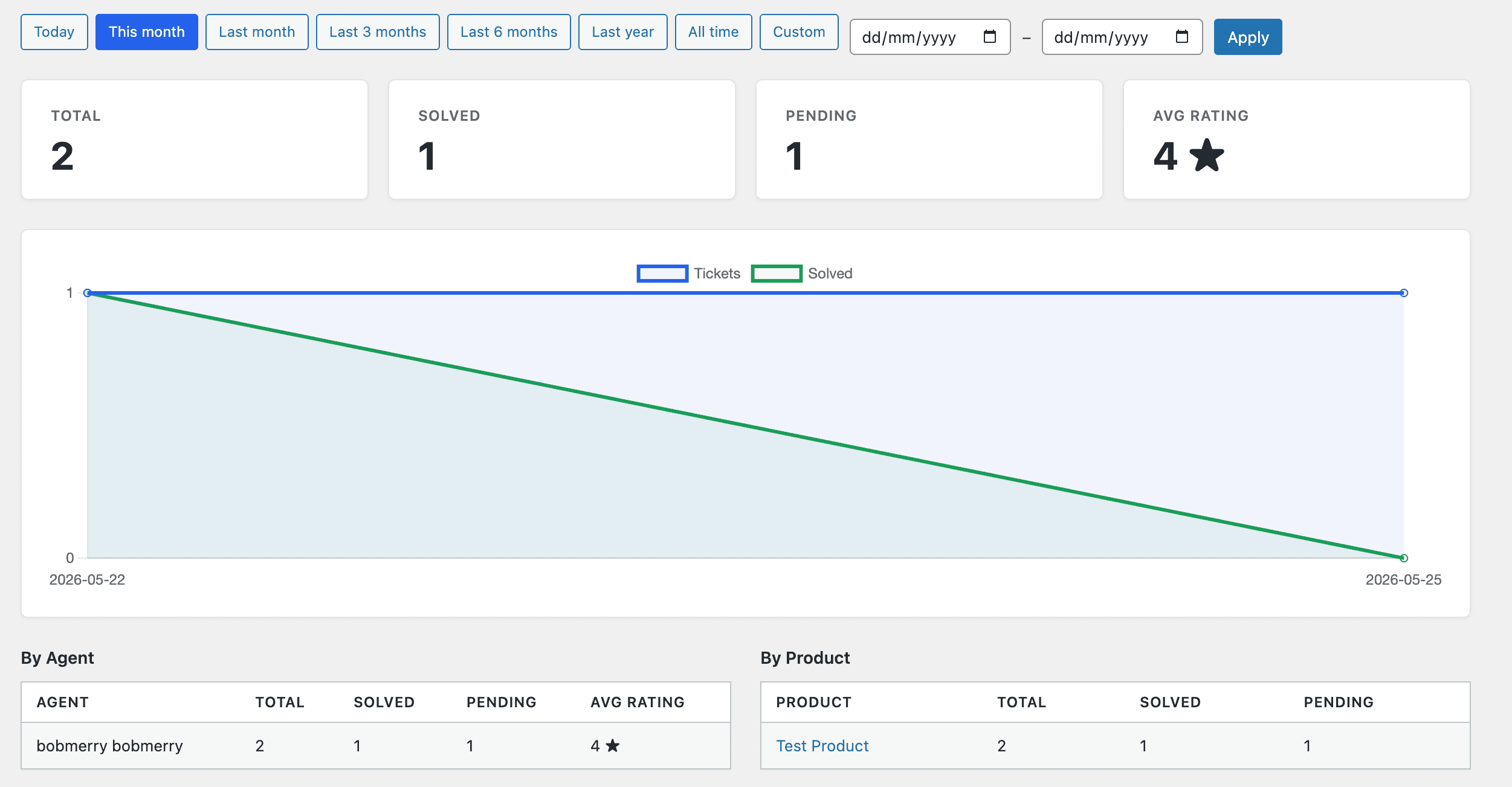
A built-in dashboard tells you what’s open, what’s solved, how fast your team is responding, and who’s carrying the load. No spreadsheets, no external SaaS — the numbers come straight from your own database.

  • Open vs solved, median time to solve, and unresolved threads up top.
  • Per-team-member throughput and rating averages, so you can spot who needs help.
  • Backed by a lookup table — stays fast even with hundreds of thousands of orders.
The Order Updates analytics dashboard showing open vs solved counts, time-to-solve metrics, and a per-team-member breakdown.

Assignments

Each team member sees what is waiting on them

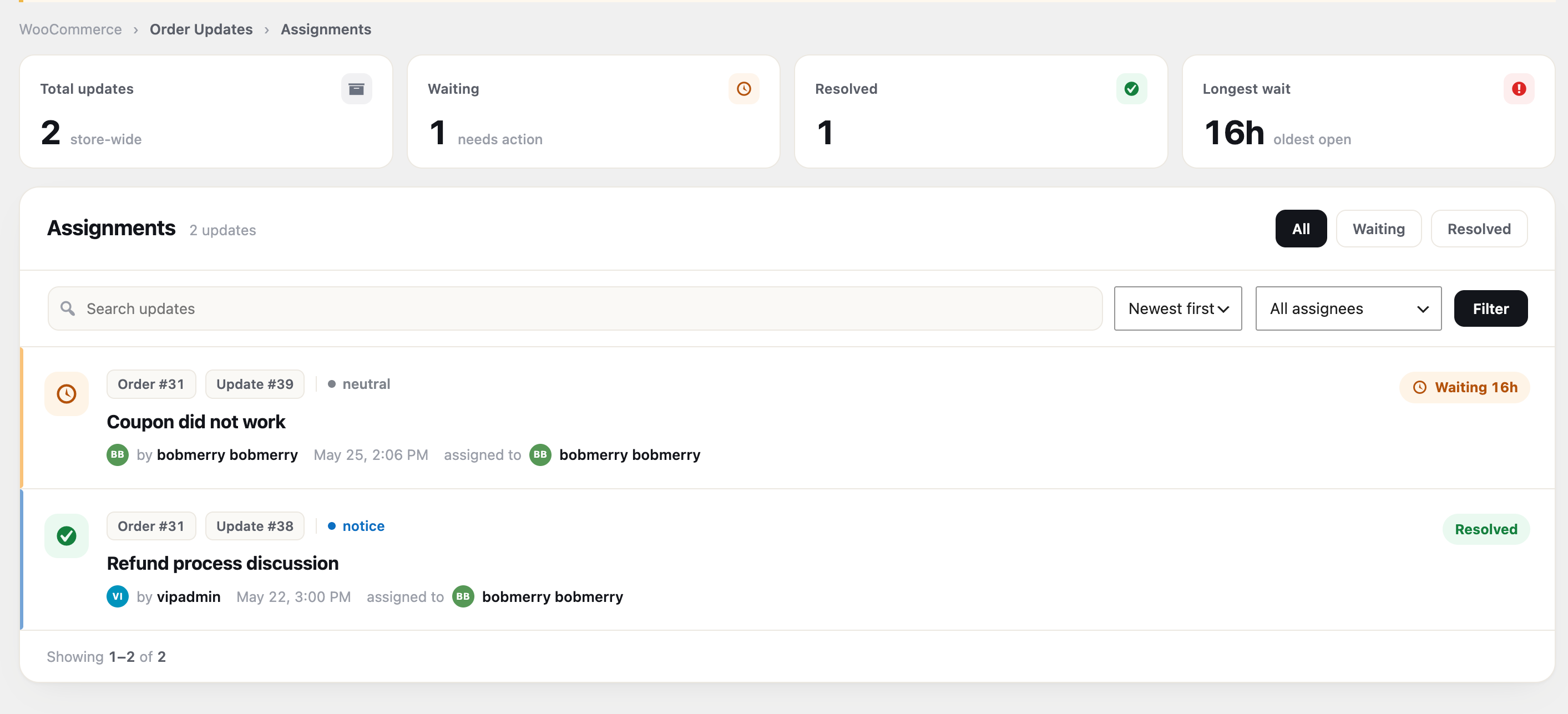
The Assignments page gives each team member their own list — and store managers the whole store, with a filter by person. The cards at the top show what is still waiting for a staff reply and who has waited the longest, so nothing gets missed.

  • Store-wide waiting, resolved, and longest-wait cards at a glance.
  • Each waiting row shows how long the customer has waited.
  • Filter by All, Waiting, or Resolved, search, and sort — team members see only their own.
The Assignments page with store-wide totals, a waiting-on-staff count, resolved count and longest wait, above a filterable list of updates by assignee.

Notifications inbox

A full inbox for every mention, assignment and reply

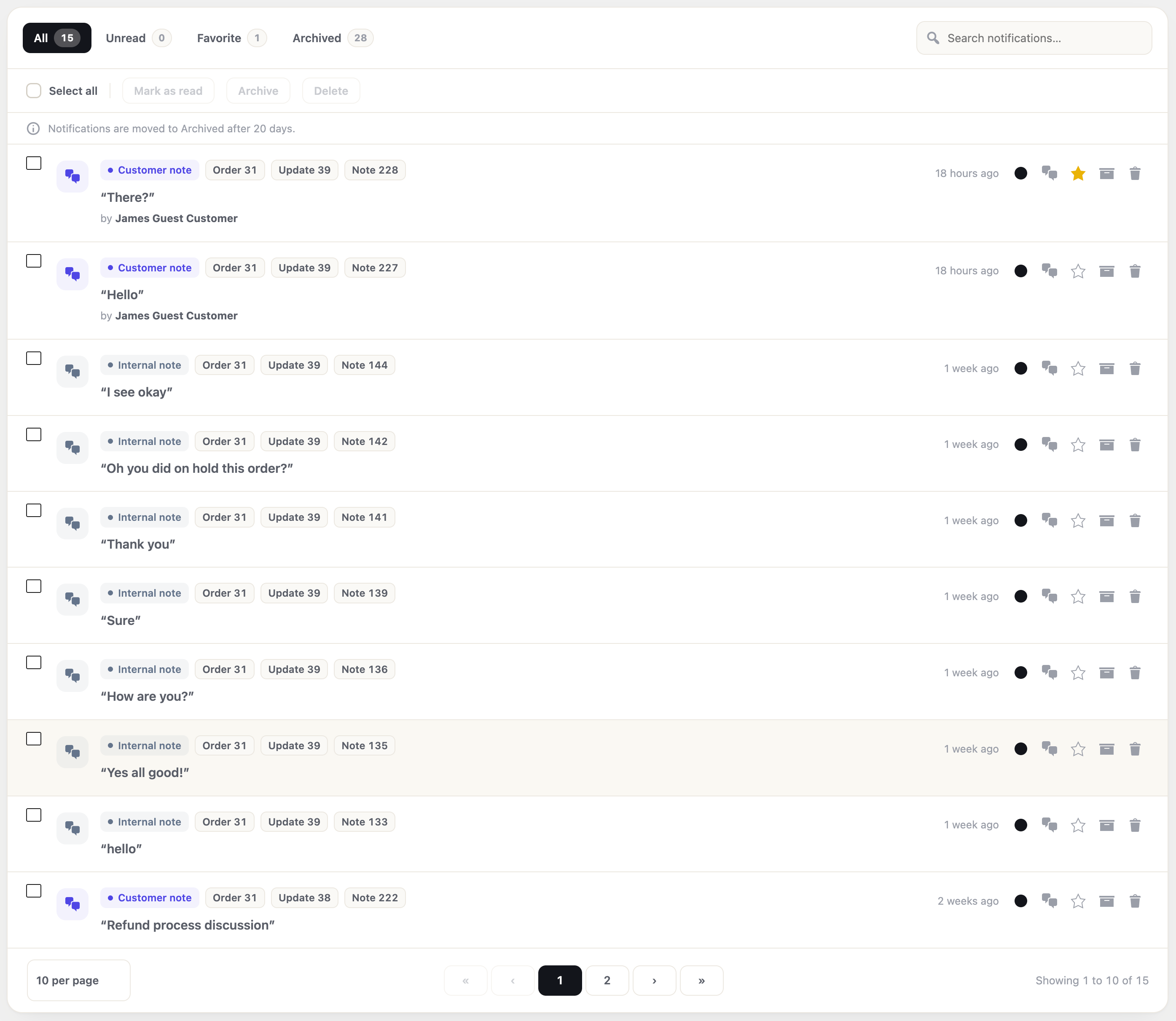
The admin-bar badge is the quick look; the Notifications page is the full list. Filter by Unread, Favorite, or Archived, search by title, and clear them many at once — mark read, favorite, archive, or delete.

  • Tabs for All, Unread, Favorite, and Archived, each with a live count.
  • Act on one row at a time or many at once — read, favorite, archive, delete.
  • Moves old items to Archived after a set number of days, then removes them later — you choose both, so the list stays clean.
The Notifications page with All, Unread, Favorite and Archived tabs, bulk actions, and per-row read, favorite, archive and delete controls.

Five more, built right in

More than chat, all on one page

Ratings & feedback

5-star ratings with built-in social share

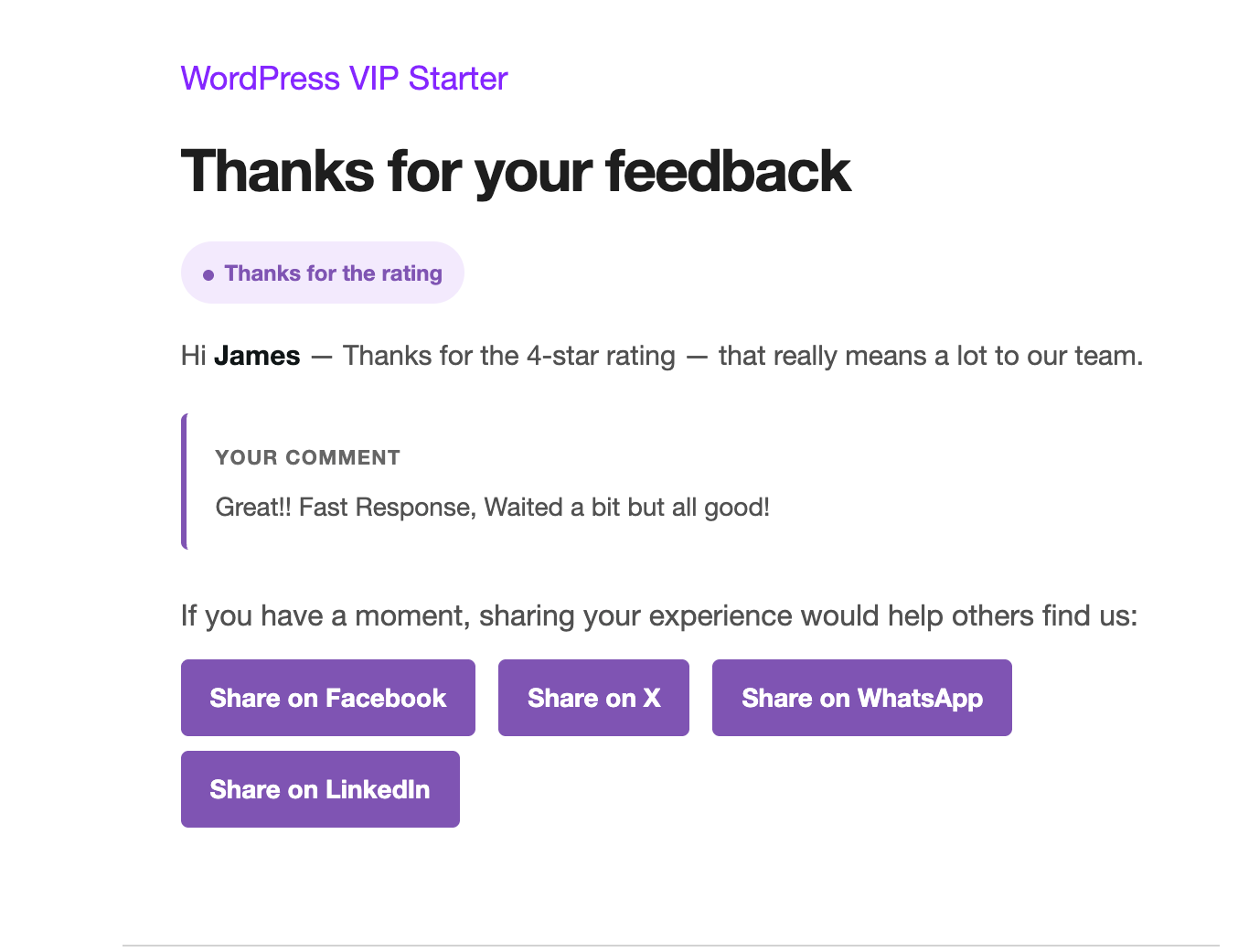
Solved updates turn into a 5-star widget. Promoters get a thank-you with one-tap share for Facebook, X, LinkedIn and WhatsApp. Detractors get a warm follow-up — never a dead end.

The customer-facing 5-star rating widget. The promoter thank-you email with social share buttons.

Round-robin assignment

New customer threads go to the top of your list

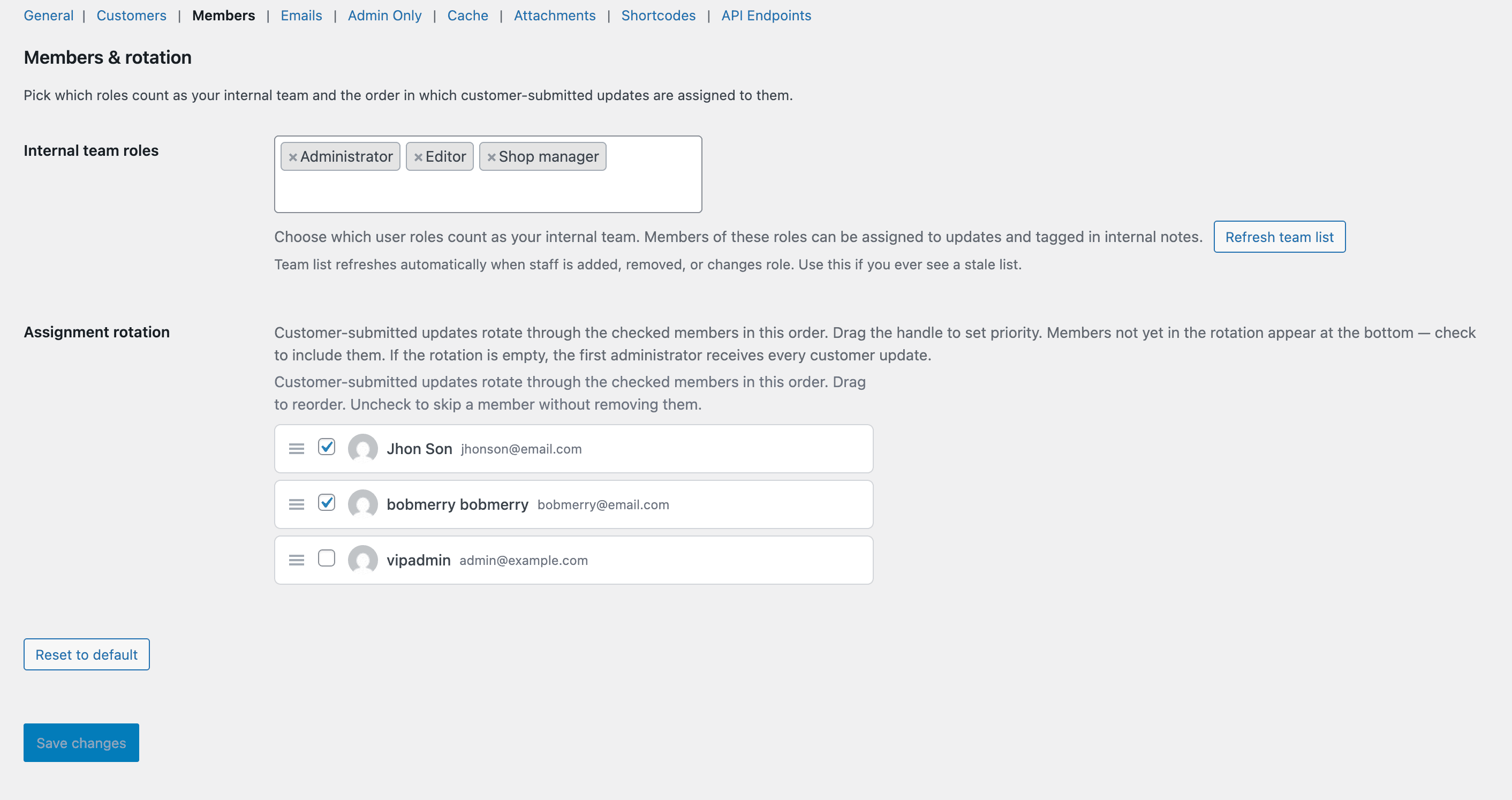
Set the order once in settings. The plugin rotates customer-opened threads through your team — one at a time, top of list first, then back to the bottom.

Admin-bar inbox

Unread assignments & @mentions follow you everywhere

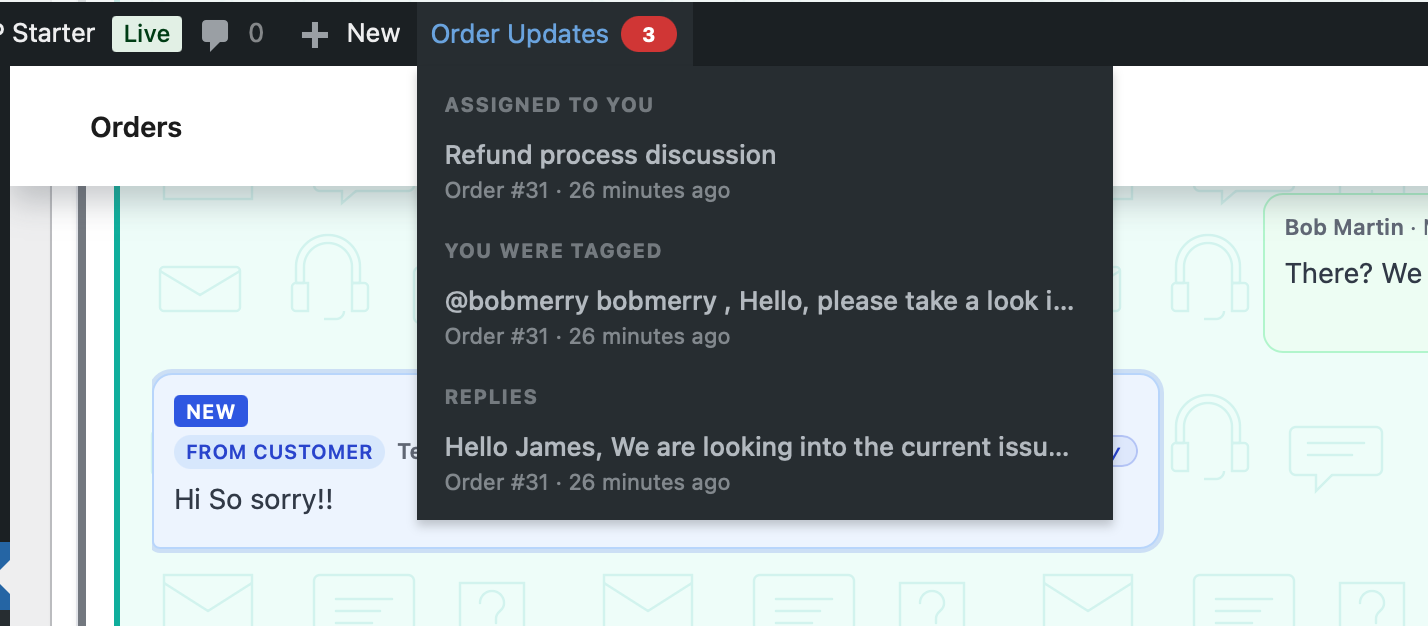
A live count in the WordPress admin bar — on every page, refreshed every heartbeat tick. One-click Clear-all for crowded inboxes.

The WordPress admin bar with the Order Updates badge open, showing unread @mentions and assignments.

Built for developers

REST API + 100+ hooks

Pipe events into a CRM, push to Slack, wire to a SaaS — without forking. Strict types, PSR-4, HPOS-native, Action Scheduler for heavy jobs.

Read the REST API reference

Statuses & audit

Custom statuses, full audit trail

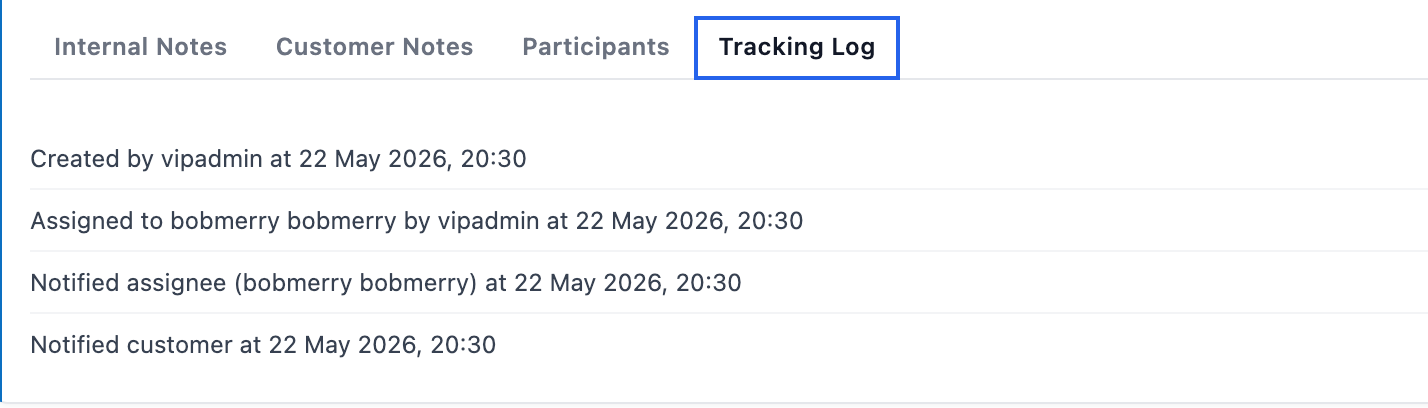
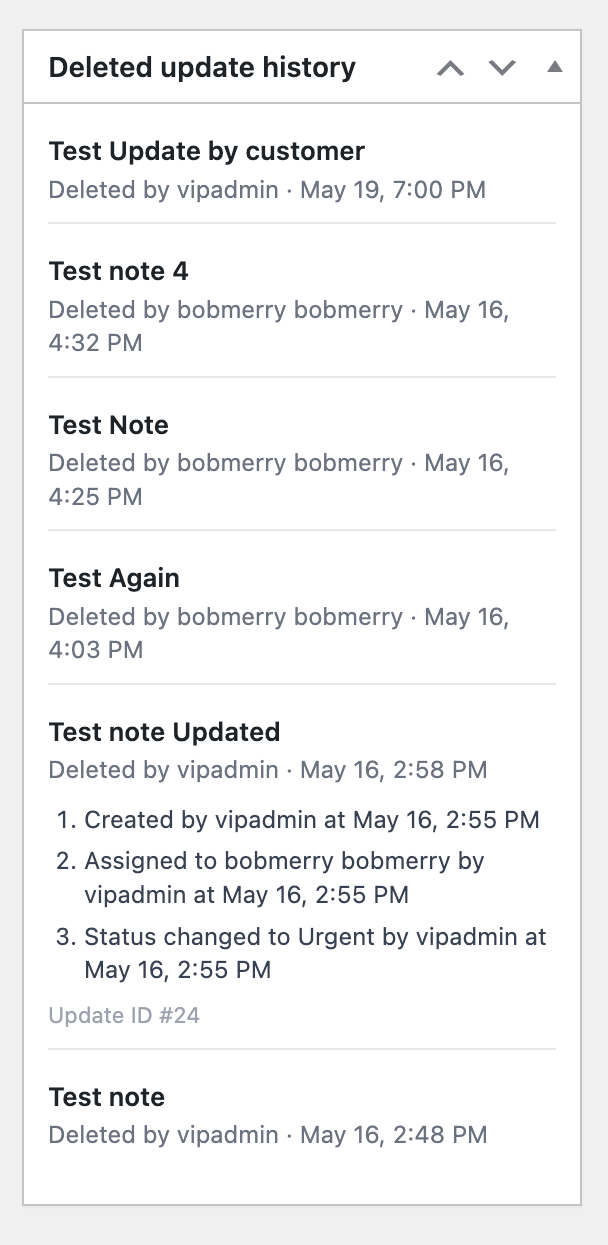
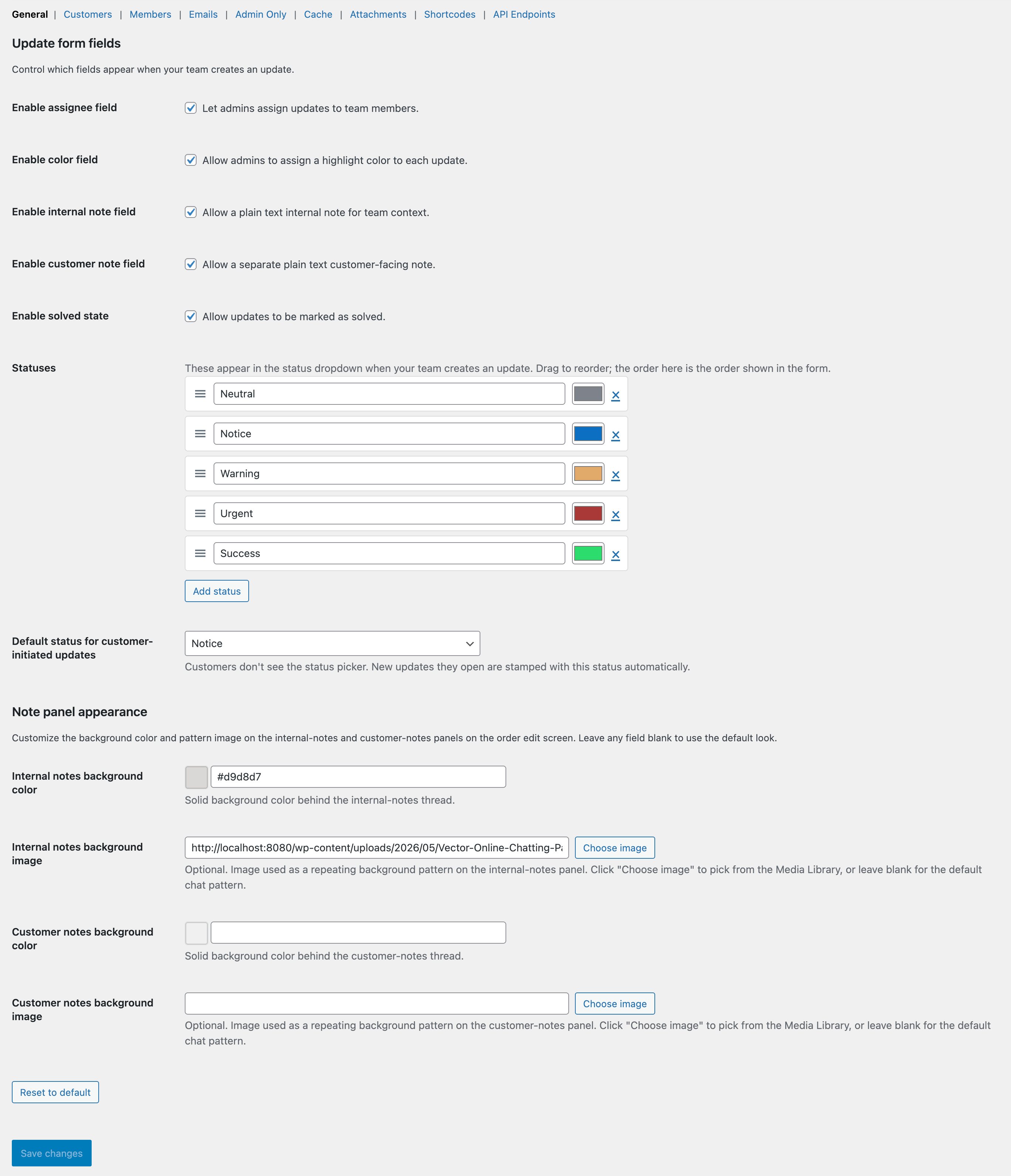
Rename, recolour, reorder — or add new statuses to match your team. Every change is logged with a timestamp.

The Tracking Log tab on an update card.

Privacy & security

We care about privacy

Customer conversations belong to your customers. We treat them that way — every guest link signed, every attachment gated, every REST call validated. None of it phones home.

Notifications & emails

Every important moment lands in your inbox

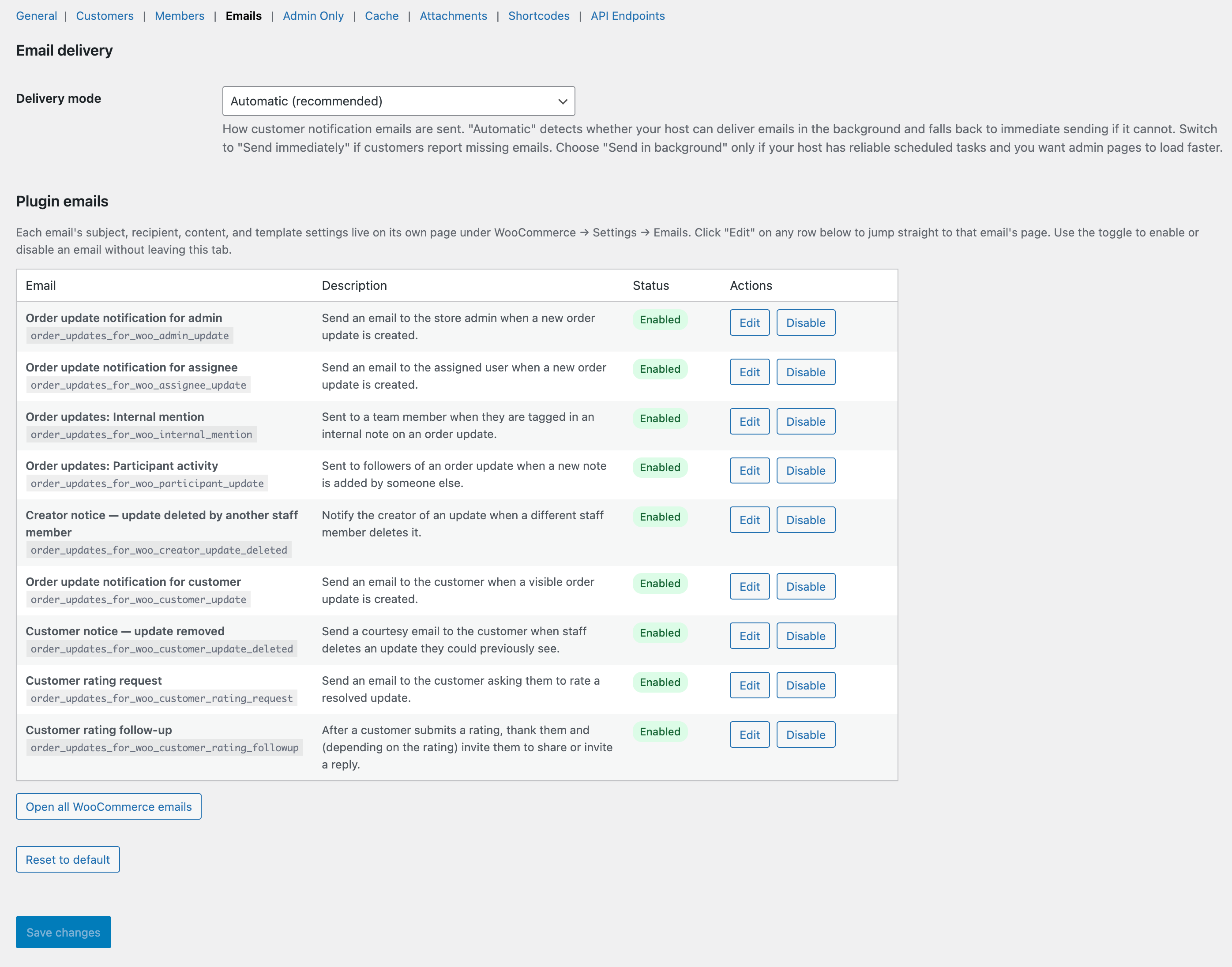
Customer replies, team @mentions, assignments, ratings, follow-ups, deletions — nothing slips through. Branded, well-formatted, and opt-out friendly.

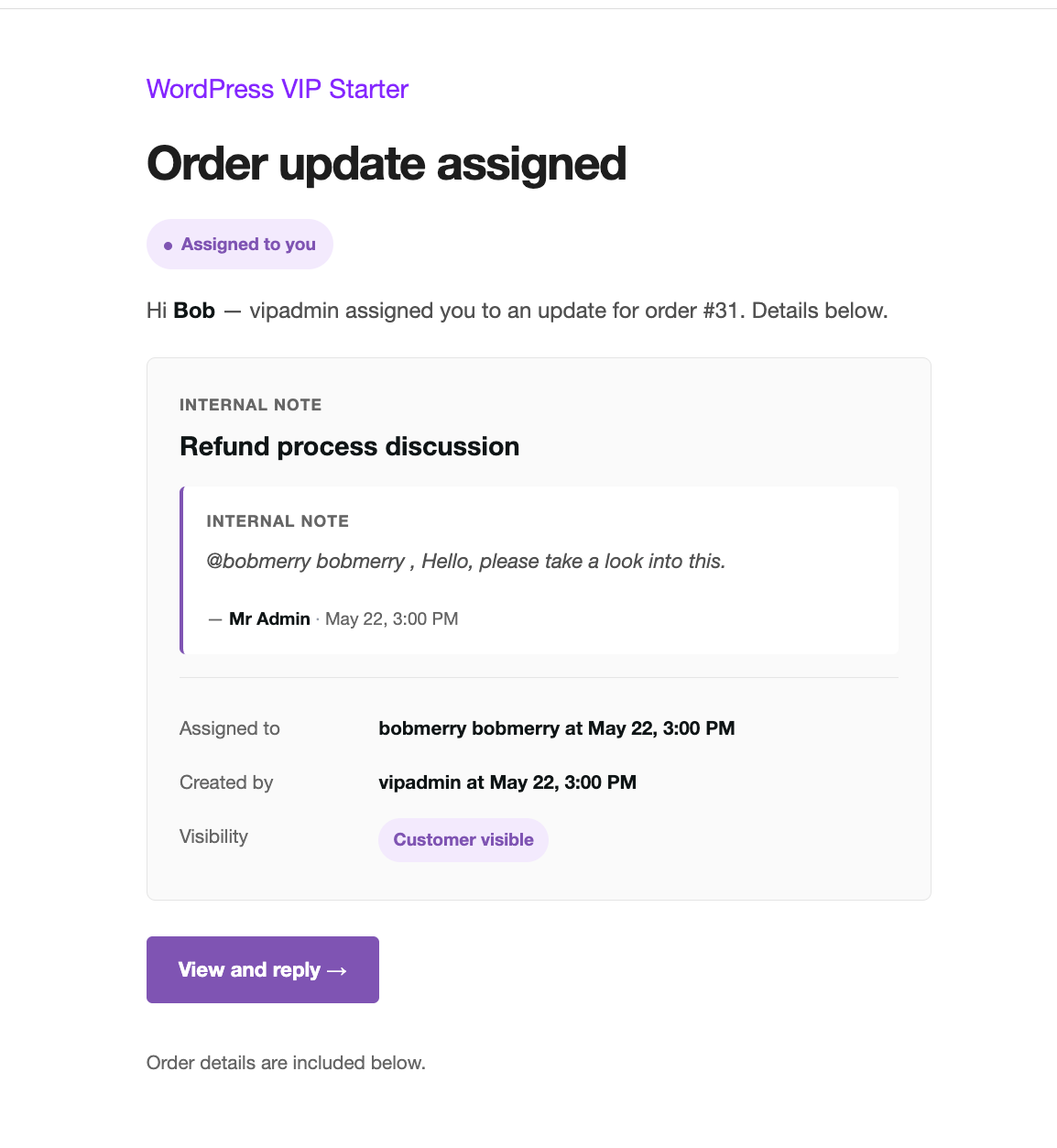
The email a teammate receives when they are assigned a new update.

Assignment email

Your teammates know the moment something needs them

Branded HTML email with the order, the customer message, and a one-click link to the update.

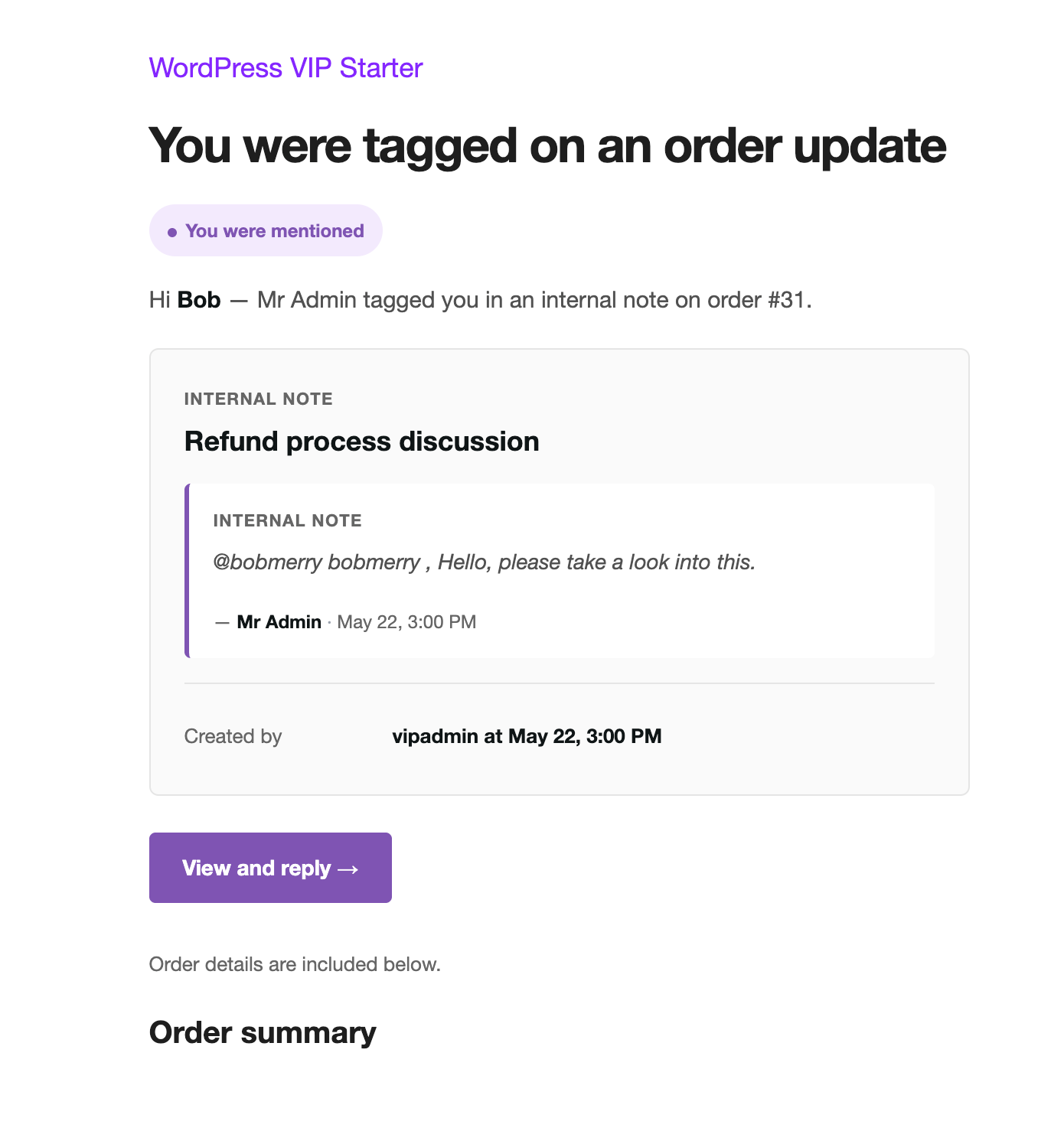
The email a teammate receives when they are @mentioned in an internal note.

@mention email

@mention a teammate without leaving the thread

Internal-only. Customers never see it. Recipient gets a separate email with the mentioning note and a deep link.

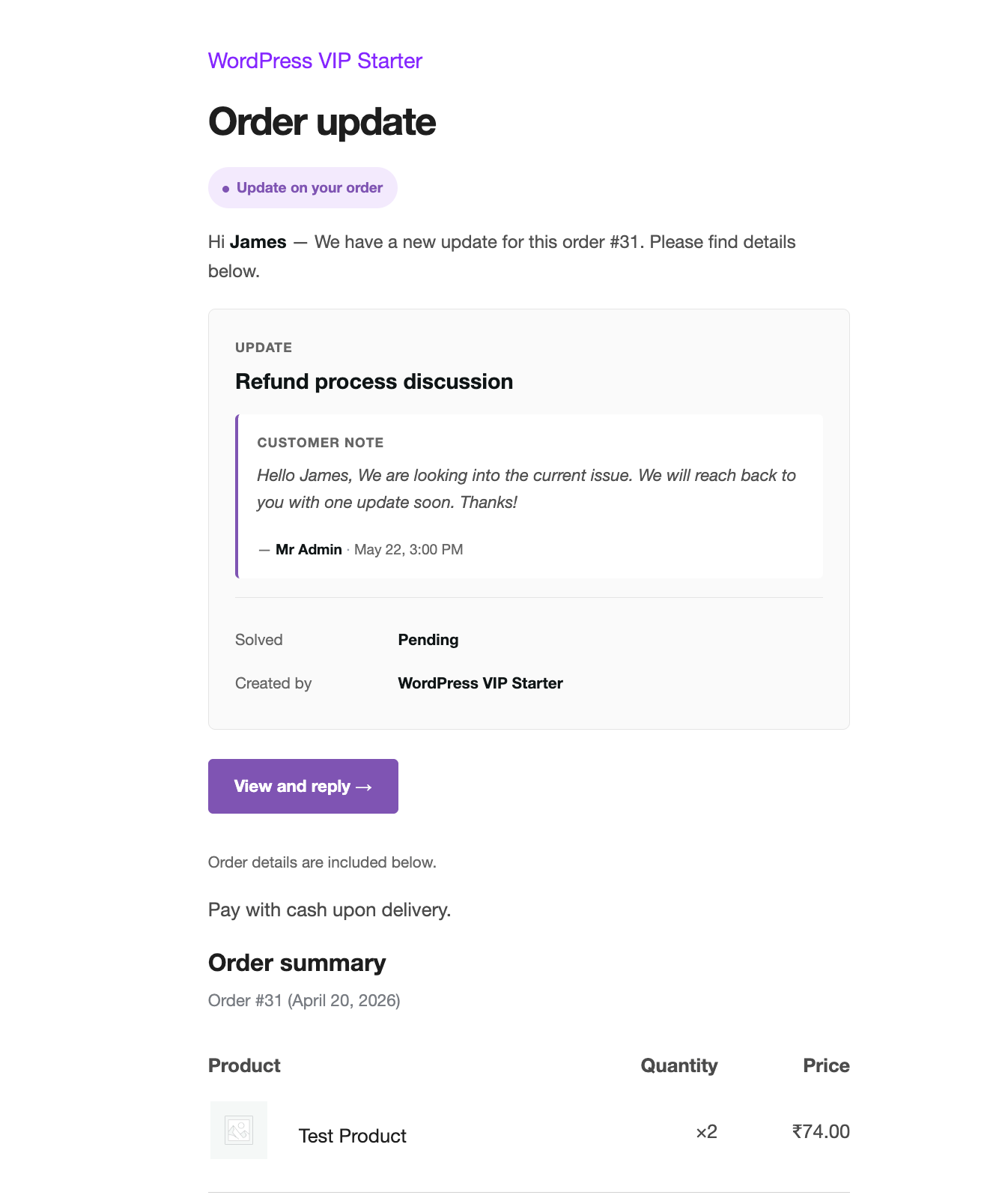
The customer notification email with the update title, staff message, and a button to the portal.

Customer reply email

Customers get the update, never a notification dump

One clean message per customer-facing reply. Direct deep-link into the portal. Every email has a per-customer unsubscribe.

The promoter thank-you email with one-tap social share buttons.

Promoter follow-up

Happy customers get the easiest social-share path

Pre-filled tweets, LinkedIn posts, Facebook shares, WhatsApp messages. One tap from the email to a public recommendation.

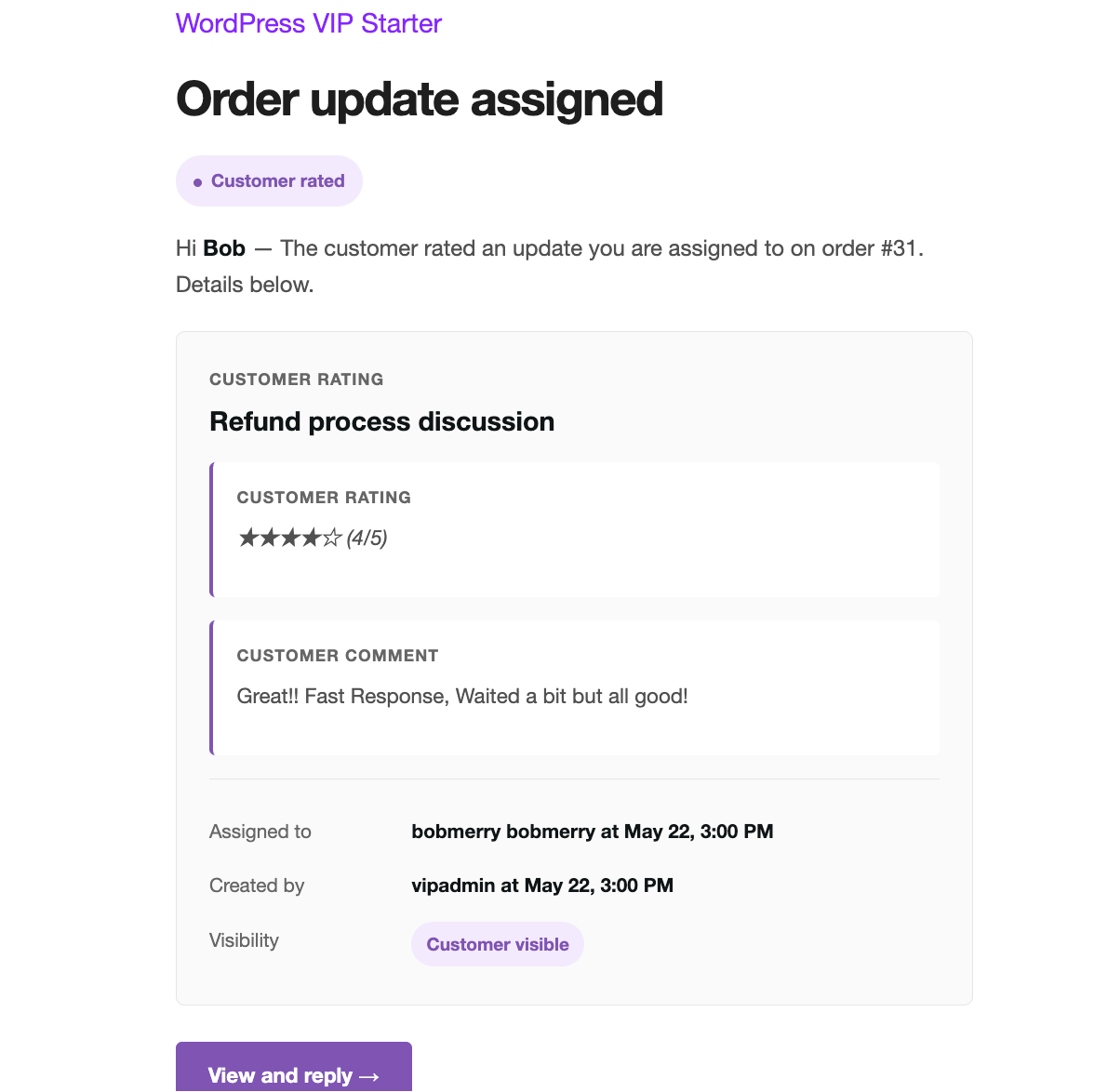
The email staff get when a customer rates an update, with the star count and free-form feedback.

Rating received

The team sees every star — with the comment

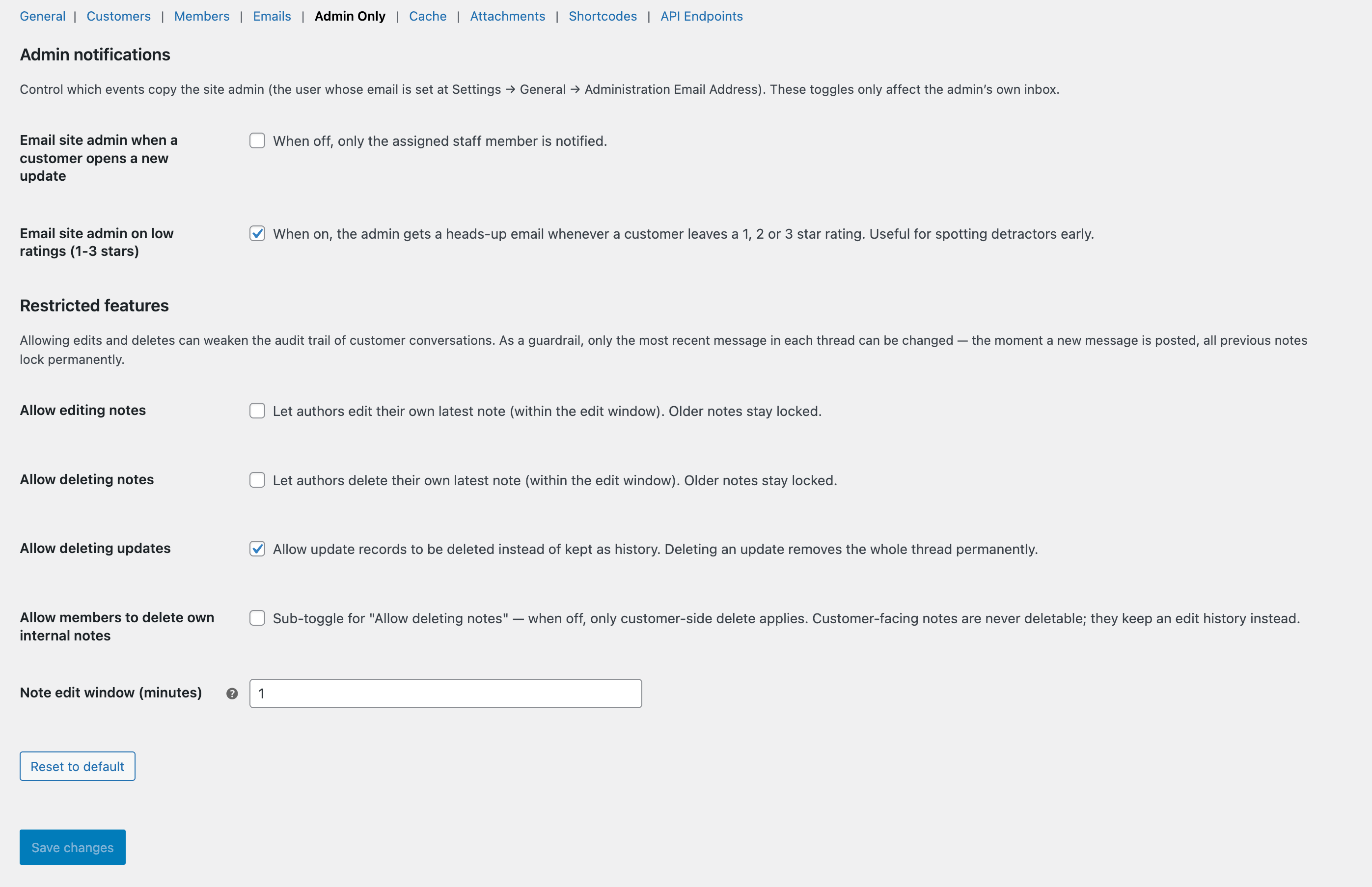
Star count, optional comment, link back to the update. Admins get a heads-up email when low ratings come in.

An internal staff reply on an update thread.

Internal thread

Participants get every internal reply

Anyone who’s commented on the thread stays in the loop. Per-update mute keeps inboxes calm for those who don’t need it.

Under the hood

Built on a modern WordPress stack

Strict types, HPOS-native, Action Scheduler for heavy jobs, cache-backend aware, 215+ unit tests — the kind of foundation you’d expect from a paid plugin, in a free one.

  • HPOS-ready — works with WooCommerce’s new high-performance order storage.
  • Translation-ready — standard WordPress .pot file, works with Polylang & WPML.
  • Per-customer opt-outs — unsubscribe link in every customer email.
  • Cache-backend aware — auto-detects Redis, Memcached, or any object cache to keep things fast.
  • Tested in real codepaths — 215+ unit tests covering DB, attachments, security, and edge cases.
  • One-click Clear All in the admin-bar notifications — wipe a crowded inbox without clicking each row.
  • Action Scheduler — heavy jobs (emails, ratings, follow-ups) run in the background, never block your admin.
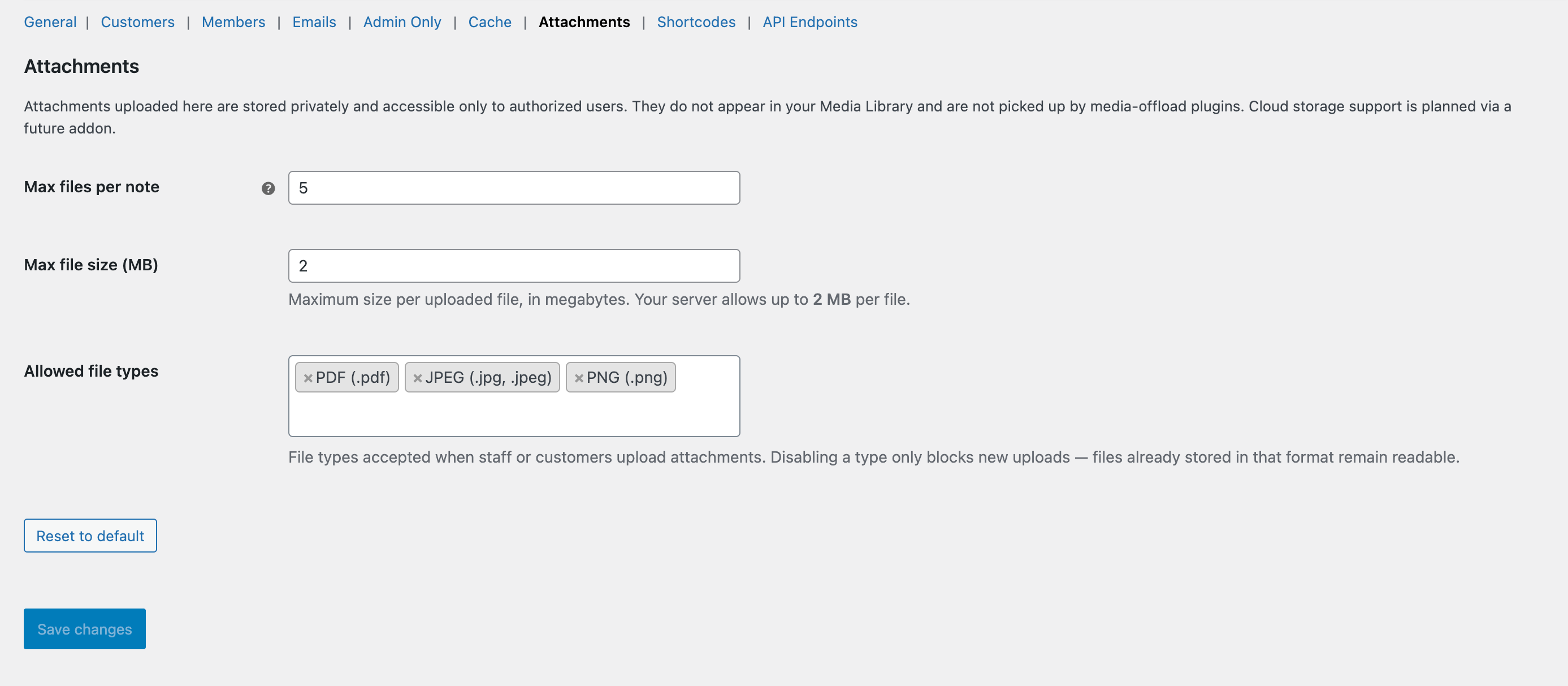
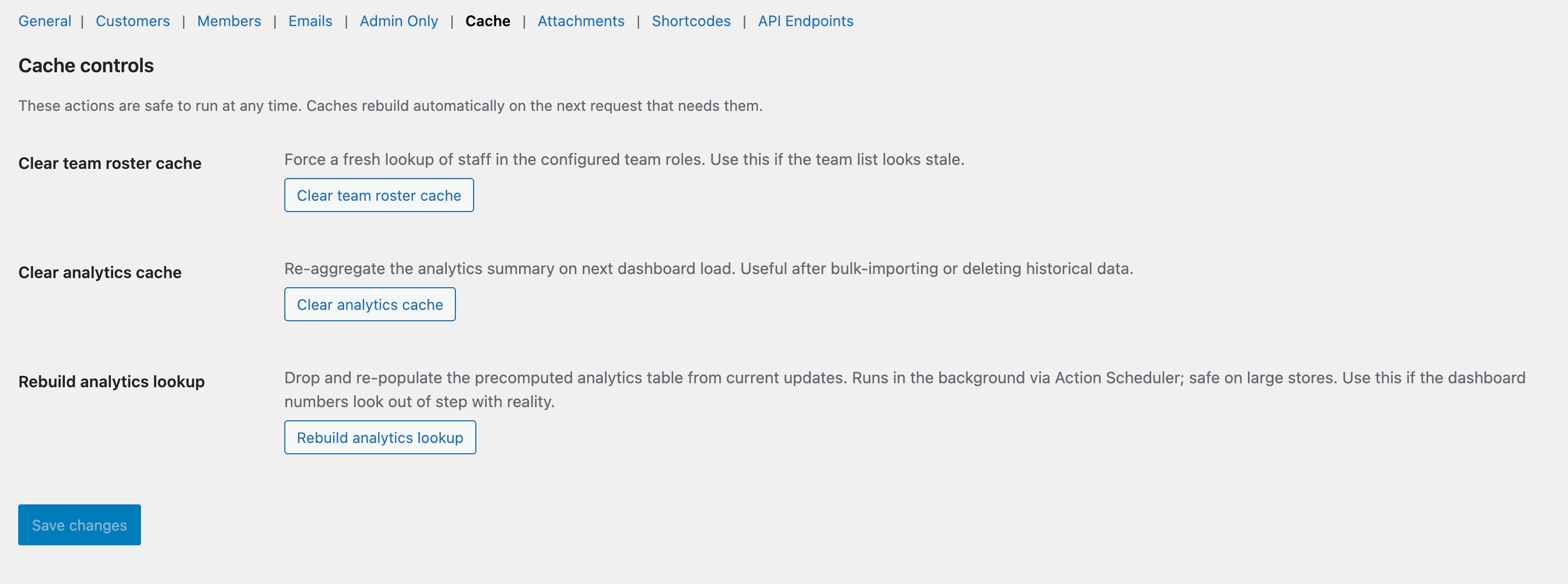
  • Nine focused settings tabs — configure customer copy, members, emails, caches, attachments, shortcodes, and the REST API.
  • Per-update mute switch — staff can silence email + admin-bar for any one thread, one click.

Ready to try it?

All this is free — one plugin, one install, no upgrade tier.